
Refactoring Existing Code with AI
This tutorial shows how to use AI edits to quickly reorganize code from existing projects to make it more structured. Using short prompts and faster models with near-instant results eliminates most of the repetitive work, while still giving you full control over the result.
This is the first tutorial in the series where we are using AI to turn a third-party open-source HTTP server for Raspberry Pi Pico into a smart thermostat. In this tutorial we will use AI to quickly move temperature-related logic into a separate struct, so we can later add automatic temperature control to it.
- Start by cloning our fork of the HTTP server that fixes build issues on Windows:
git clone https://gitlab.com/sysprogs-tutorials/picow-http-example -b before_edits --recursive
Make sure you are checking out the before_edits tag that does not have the AI-driven edits yet.
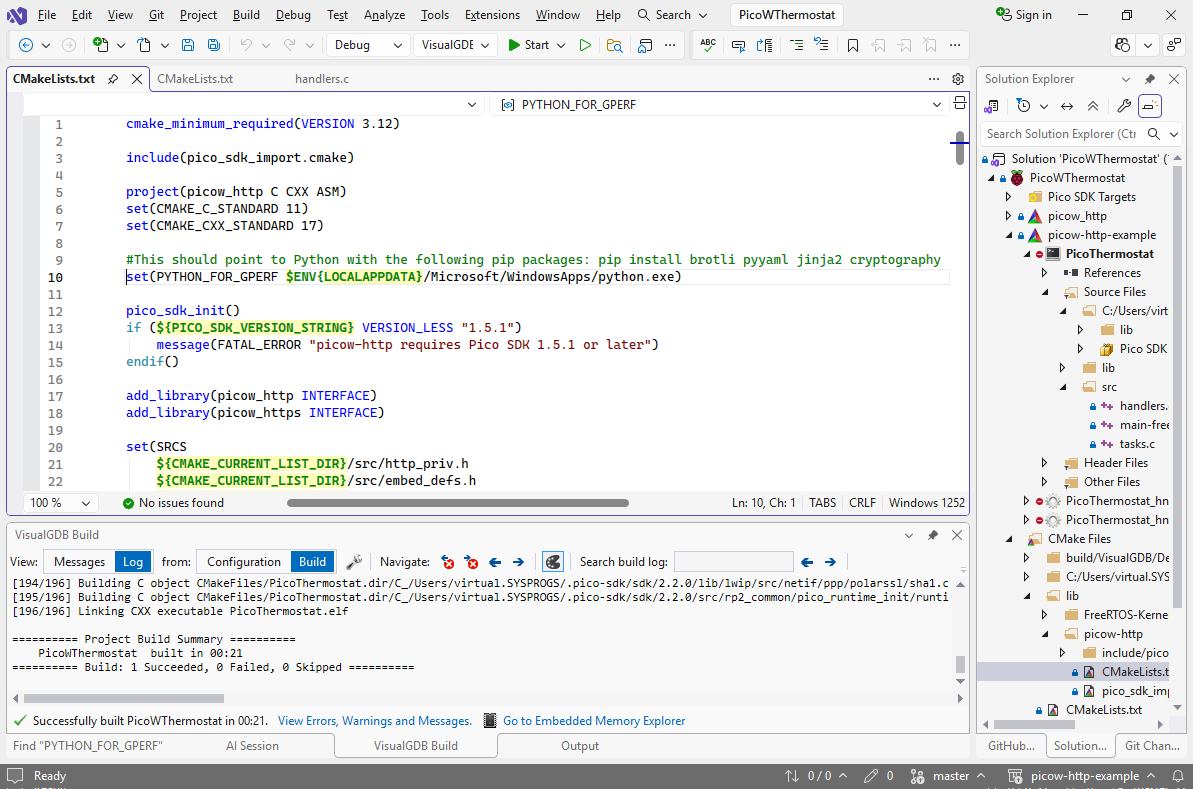
- Open the project in VisualGDB and try building it. If it fails due to missing Python dependencies, edit the PYTHON_FOR_GPERF variable in lib\picow-http\CMakeLists.txt to point to a Python installation that contains brotli, pyyaml, jinja2 and cryptography packages:
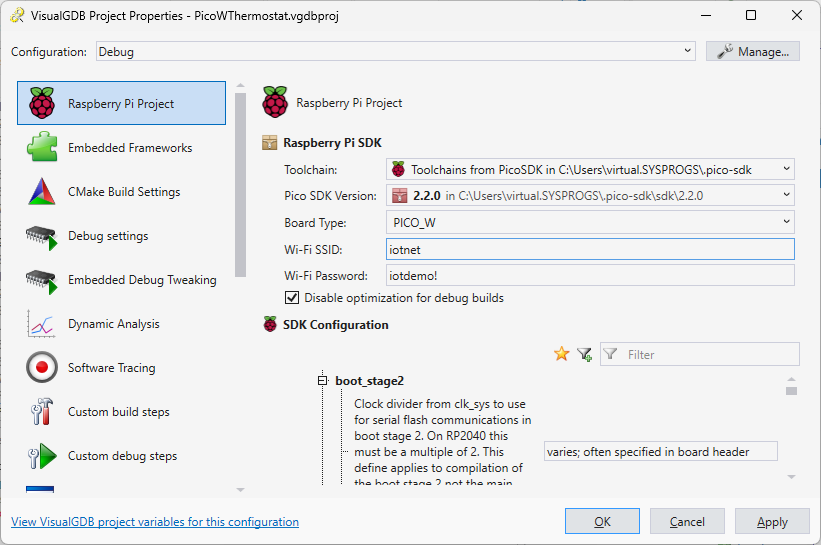
- The sample server will try to connect to an existing Wi-Fi network. You can use VisualGDB Project Properties to update the SSID and password:
- Build the project again and press F5 to start debugging it. The server should connect to the Wi-Fi network, and opening its IP address in the browser should show the sample page:
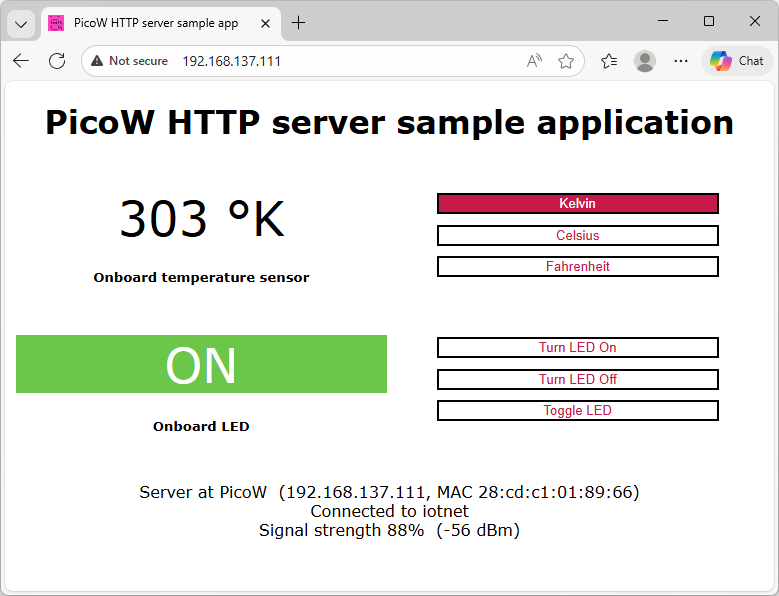 Note that the example server only works with HTTP, not HTTPS, so you need to explicitly specify it in the browser (e.g. http://192.168.137.111/).
 - We will now begin modifying the example to work as a simple thermostat. To keep the code organized, all thermostat-related variables will be contained inside the Thermostat struct, and all thermostat-related functions will take a pointer to it (e.g. Thermostat_SetTargetTemperature(&g_Thermostat, 123)). Use the Add->New File command in Solution Explorer to add two files to the logic subdirectory:
ThermostatController.h:#pragma once struct ThermostatController { }; extern struct ThermostatController g_Thermostat;ThermostatController.c:
#include "ThermostatController.h"
struct ThermostatController g_Thermostat;
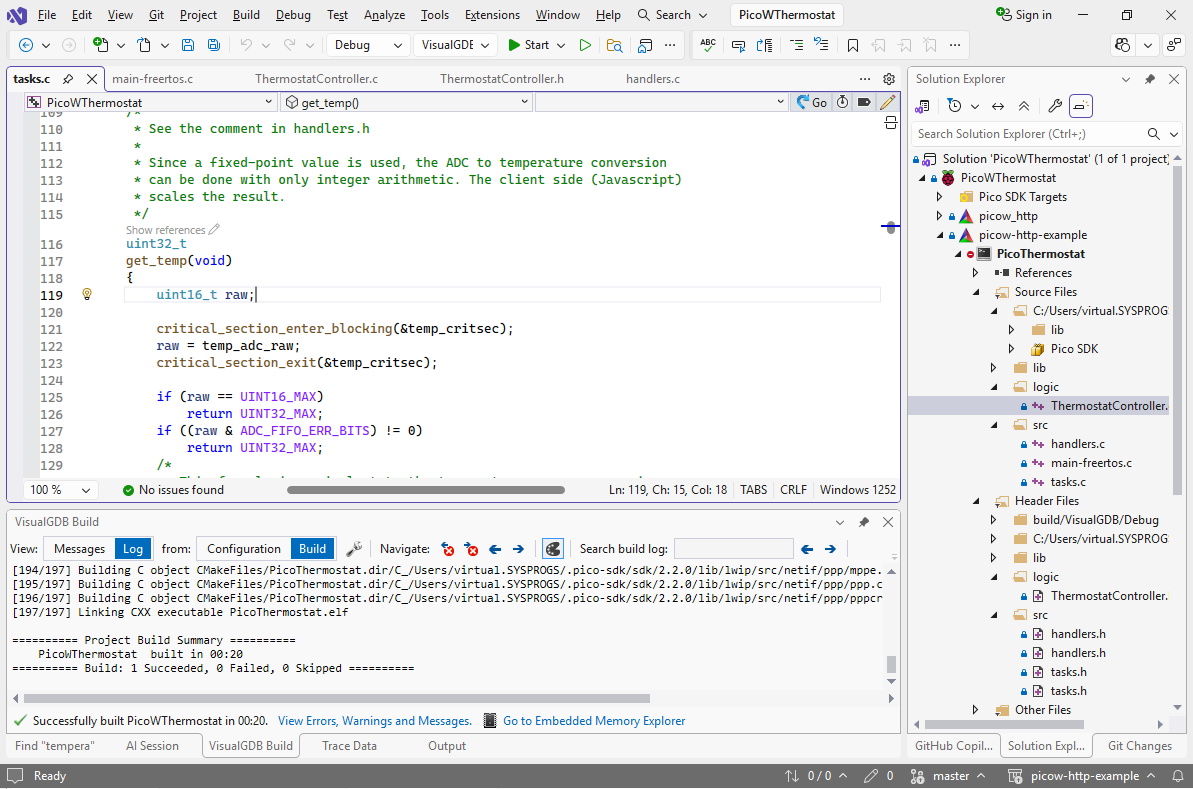
- The sample project already contains code for reading the temperature value, so it would make sense to reuse it for the thermostat. If you search the code for “temperature”, you can quickly find the get_temp() function that recomputes the value from the temp_adc_raw variable:
- Let’s move the temperature-related logic inside g_Thermostat. Instead of dealing with the value and the critical section directly, get_temp() should simply call Thermostat_GetRawValue(&g_Thermostat) and let the thermostat logic handle the locking and storing. Doing this by hand would require several small annoying changes:
- Replacing the temp_critsec and temp_adc_raw variables with fields in struct Thermostat
- Creating declarations for Thermostat_GetRawValue() and Thermostat_Init() in Thermostat.h
- Including Thermostat.h from tasks.c
- Ideally, including headers defining critical_section_t and uint16_t from Thermostat.h where the fields got moved
- Creating Thermostat_GetRawValue() in Thermostat.c and moving locking code there
- Finding critical_section_init() call in main(), moving it into Thermostat_Init() and calling it from main()
AI can do all of this with a very concise prompt, so click on the pencil icon above get_temp() and enter the following prompt:
temp_adc_raw -> g_Thermostat.RawTemperature. Also move critsec. Add Thermostat_Init(&g_Thermostat) and Thermostat_GetRawValue()
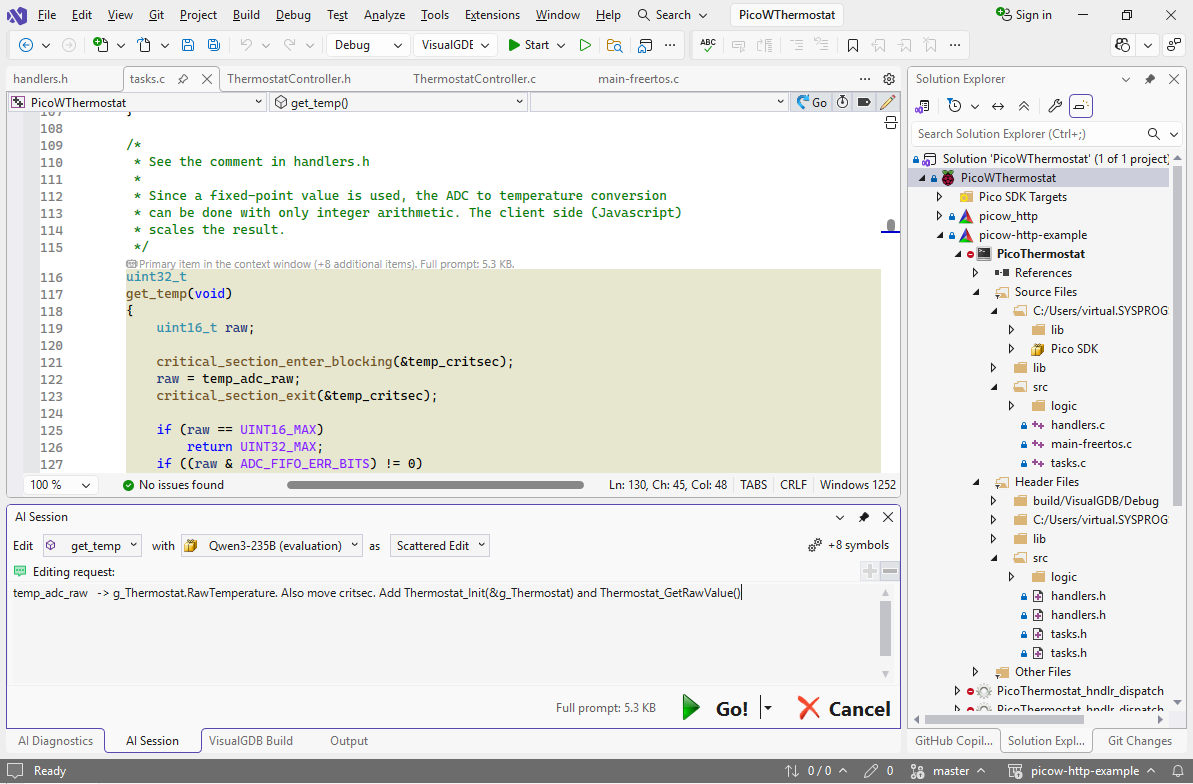
- Pick a language model in the selector and click the Go button. Depending on the model you selected, the refactoring should take 10-30 seconds:
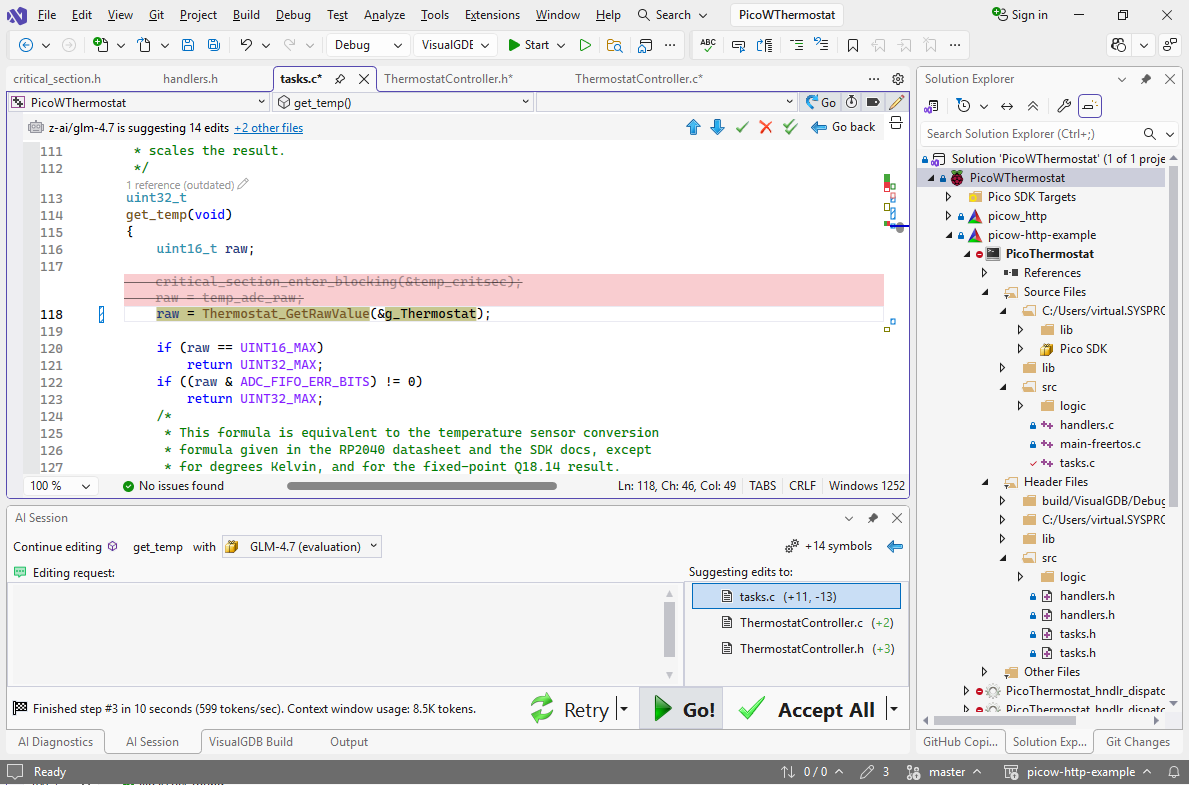 High-end models (GLM/Claude) typically get everything from the first try. Lower-end models (e.g. GPT-OSS) are more likely to confuse the details (e.g. put function bodies in tasks.c and not Thermostat.c), but they produce results 3-5x faster.
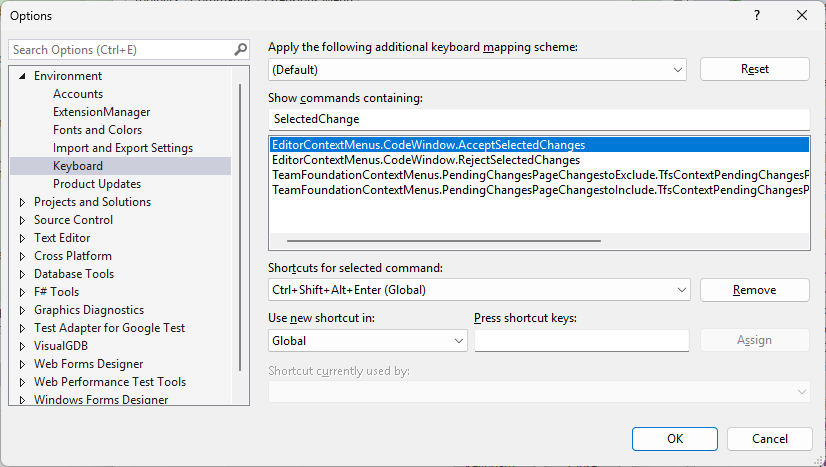
 - VisualGDB provides commands for quickly jumping between suggested edits. We advise setting keyboard shortcuts (e.g. Ctrl+Shift+Alt+Enter and Ctrl+Shift+Alt+Backspace) for the AcceptSelectedChanges/RejectSelectedChanges commands via Tools->Customize->Keyboard:
- Now you can quickly jump between the suggested edits by pressing these shortcuts. Note how temp_isr() still manually handles the critical section:
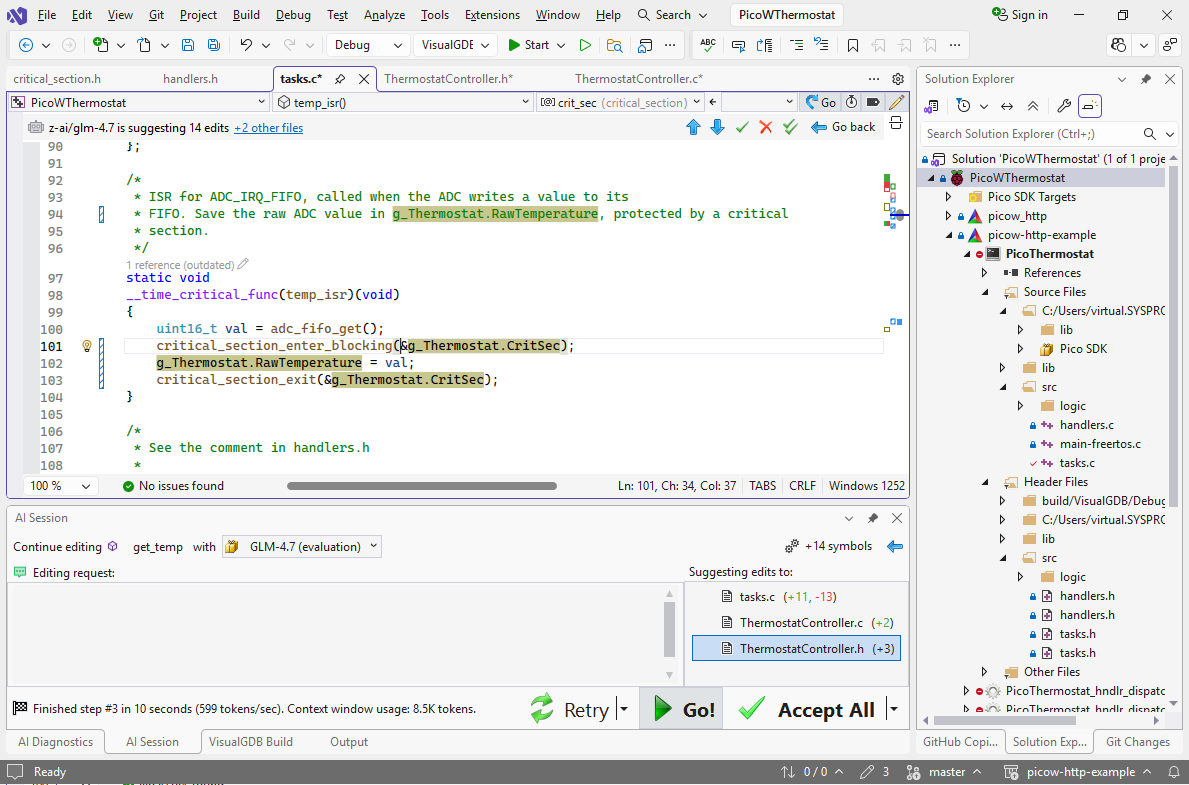
- It could make the code more structured if temp_isr() just passed the raw value to Thermostat_StoreRawValue() that handled the low-level details like the critical sections. Make sure you have not ended the editing session yet, and then simply use this prompt:
+Thermostat_StoreRawTemperature()
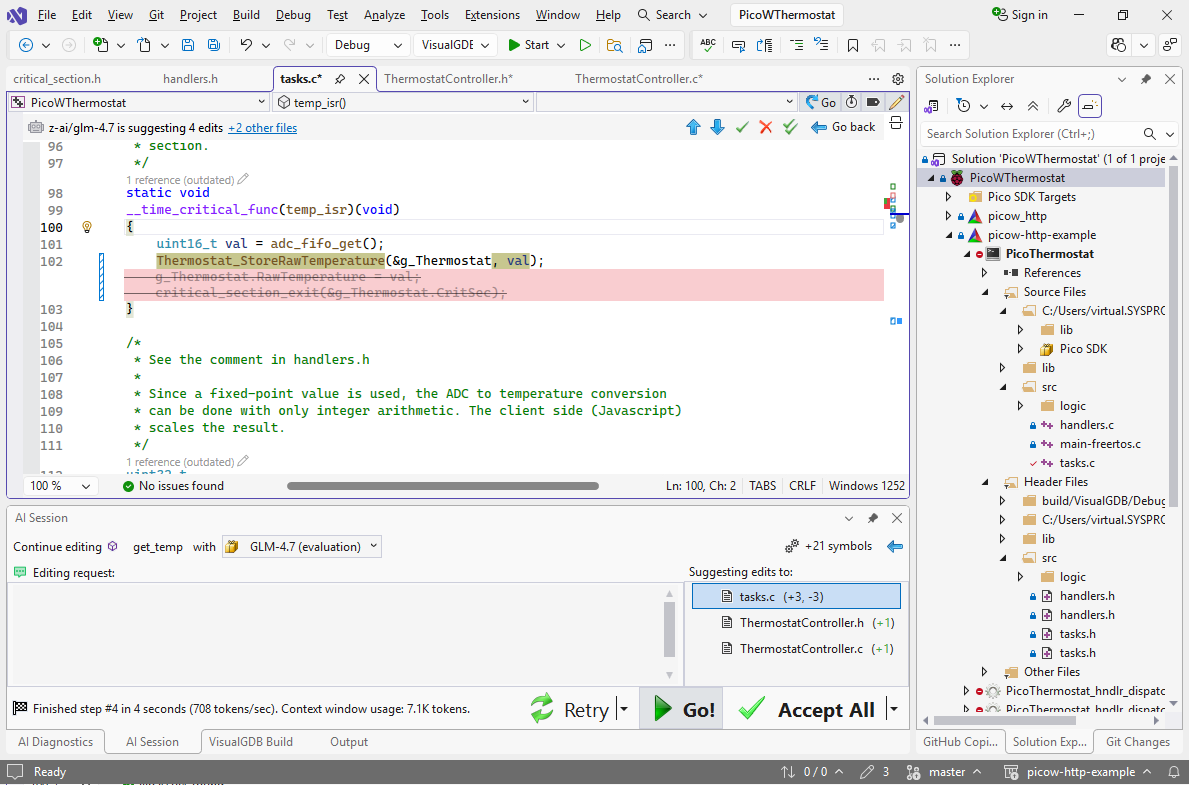 Since we are continuing the same session, the AI will correctly infer the rest of the details, and will create a declaration/definition for Thermostat_StoreRawValue(), and will call it. It also takes less time than the initial edit, as it only needs one pass.
 - If the AI does get it wrong in the second step, you can always step back and refine the prompt, or choose a bigger/slower model:
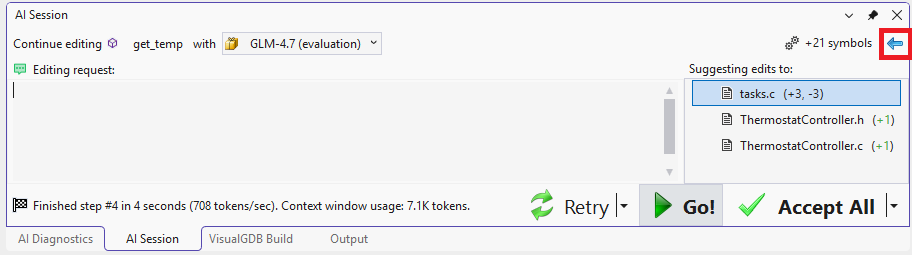 Once you are done reviewing the changes, click Accept All to finish the editing session, or simply save the file and VisualGDB will ask you if it should automatically accept the remaining changes.
 - We will use the existing LED output to control the heater used by the thermostat. Search the code for “led” and locate the led_handler() function that uses cyw43_arch_gpio_put() to control the LED. Then, click the AI edit button in the top right of the editor:
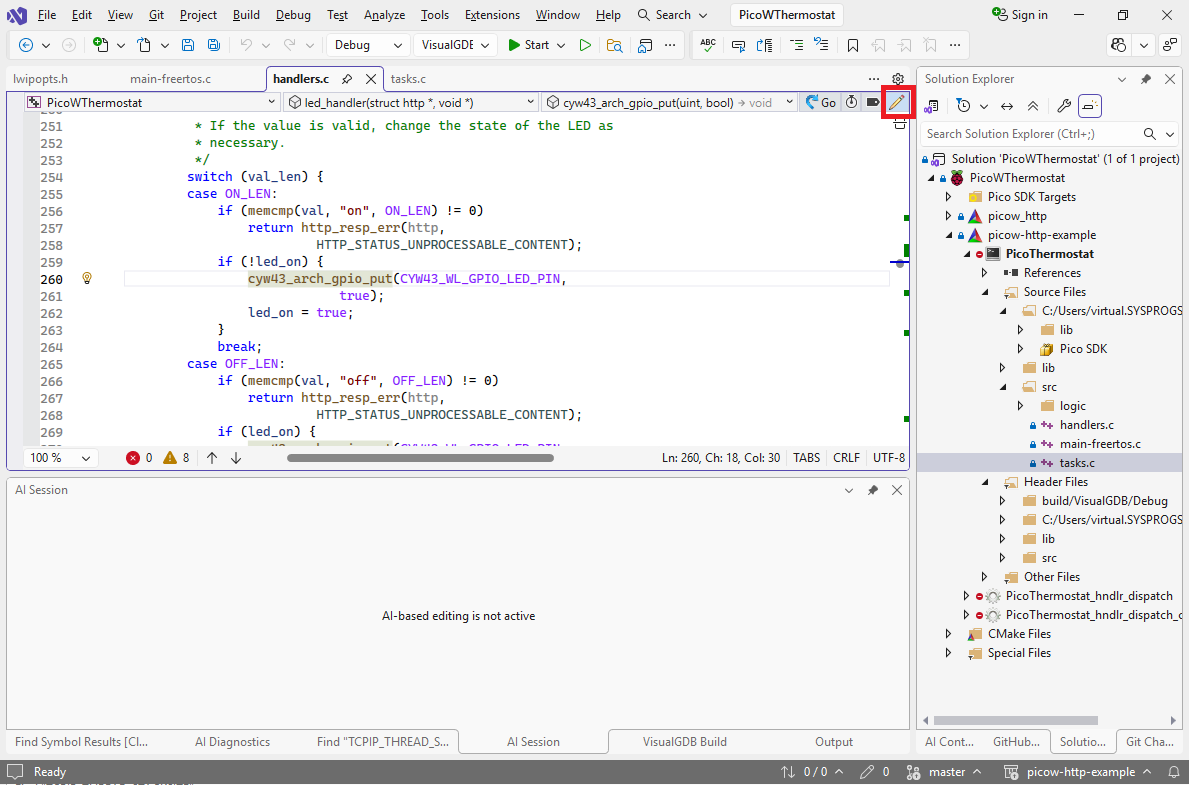
- Use the following prompt:
+Thermostat_SetOutputValue(g_Thermostat, bool) wrapping CYW43_WL_GPIO_LED_PIN
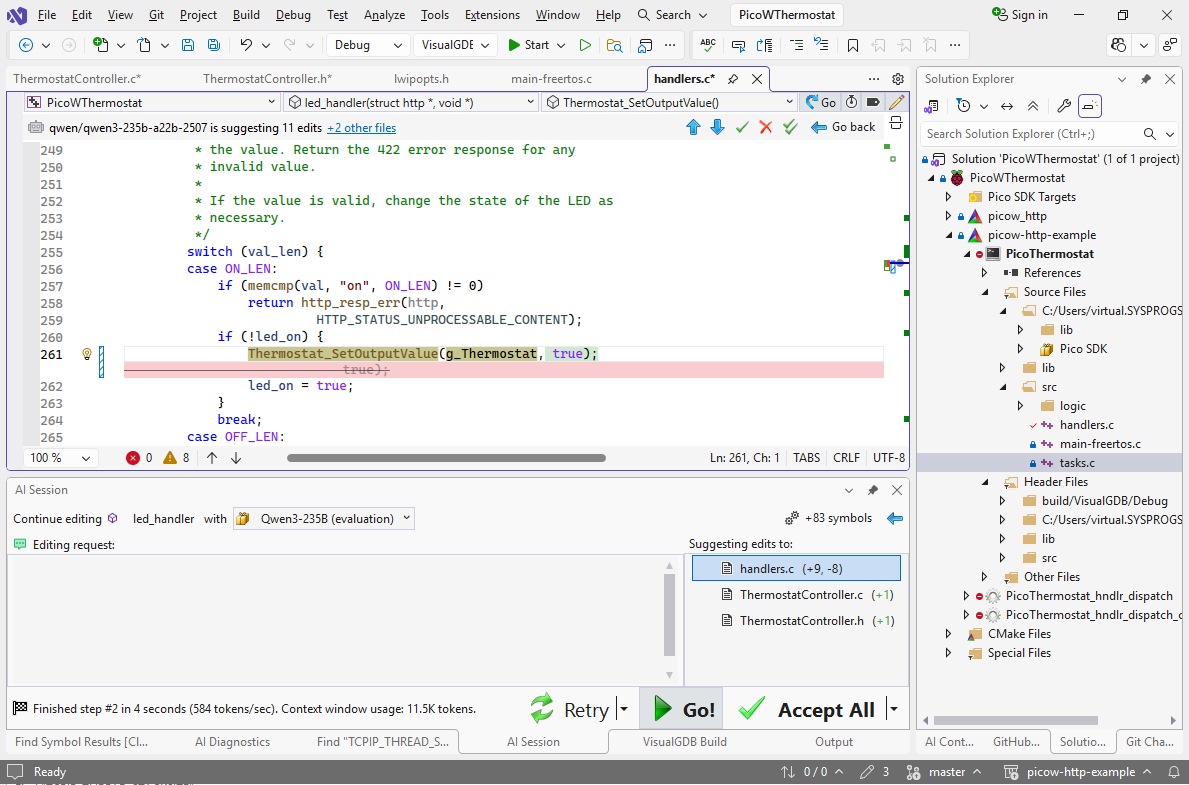
- You can create similar wrapper for getting the output value of the thermostat by just executing the “+Get” prompt:
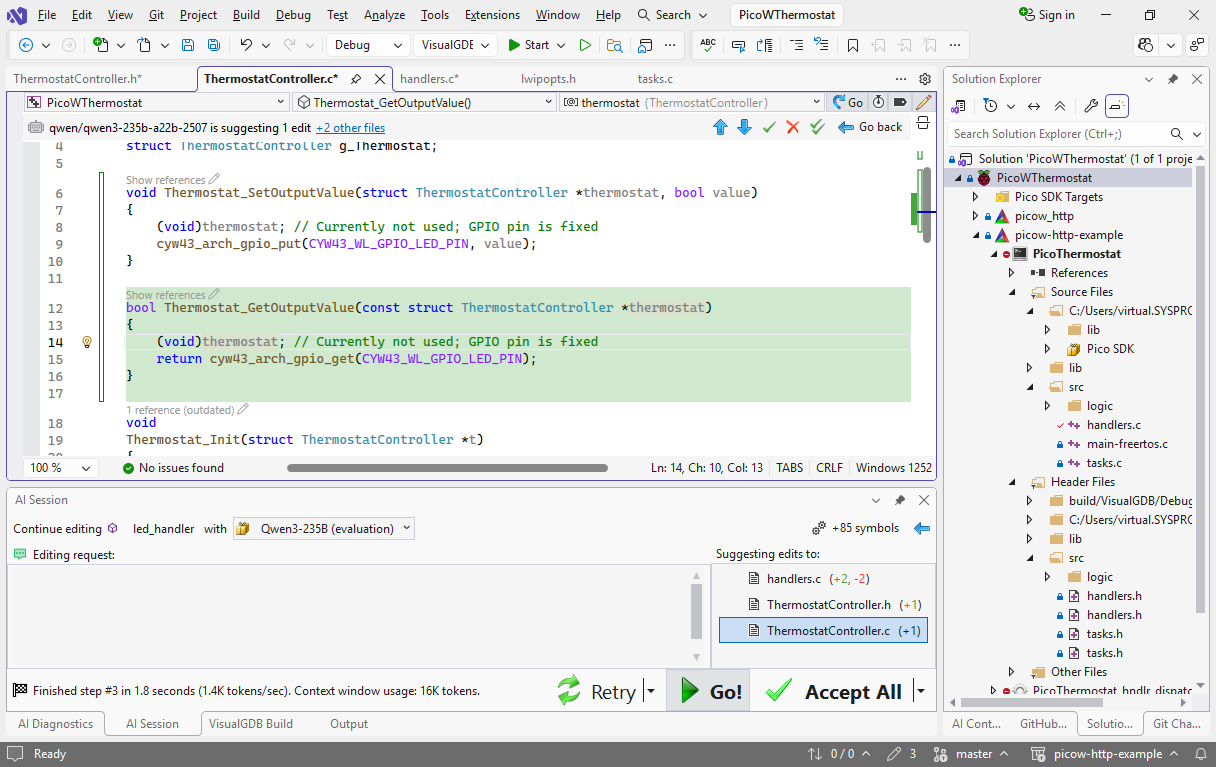
- Finally, since get_temp() is now just a wrapper around Thermostat_GetRawValue(), we can rename it to Thermostat_GetTemperatureK(), and move it ThermostatController.c. This can be done with a very simple prompt:
Replace get_temp() with Thermostat_GetTemperatureK(&g_Thermostat) in @ThermostatController.c
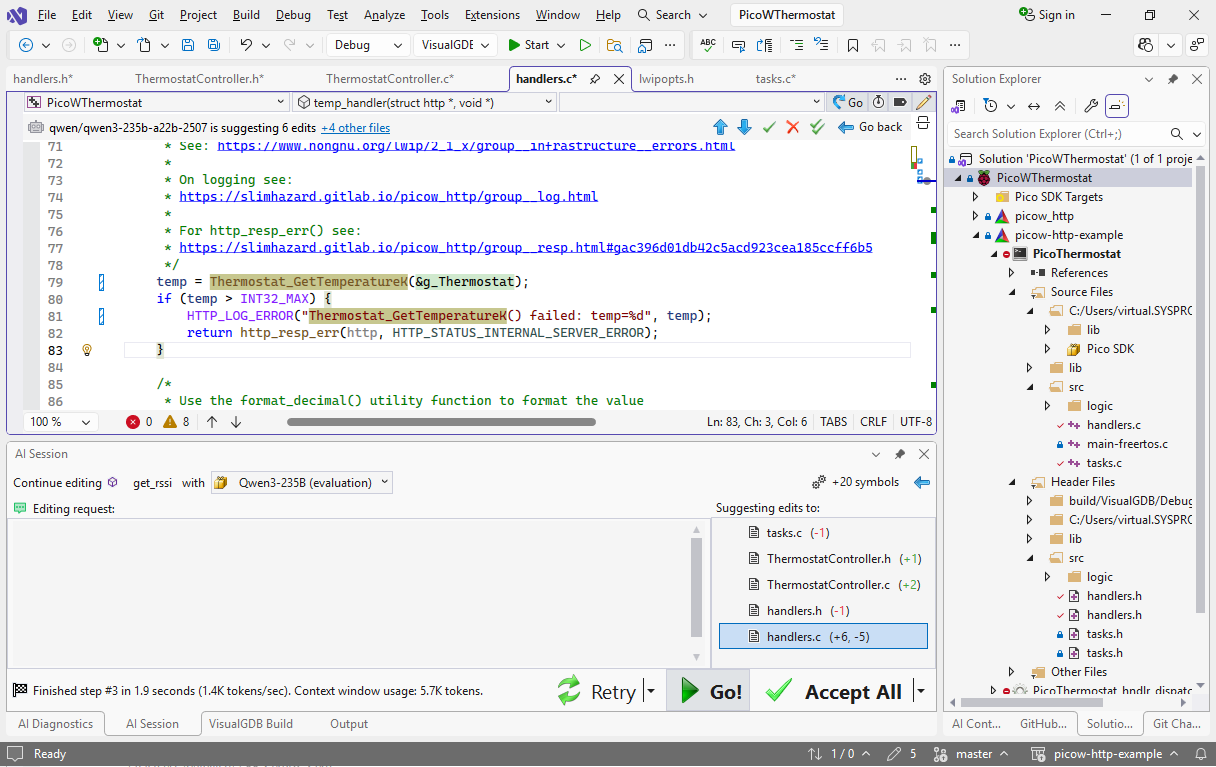 Note how a simple one-sentence prompt got the AI to update 5 different files, moving the declaration/definition and updating the references.
Now all the code related to temperature measurement and output control resides in a single module with clear structure: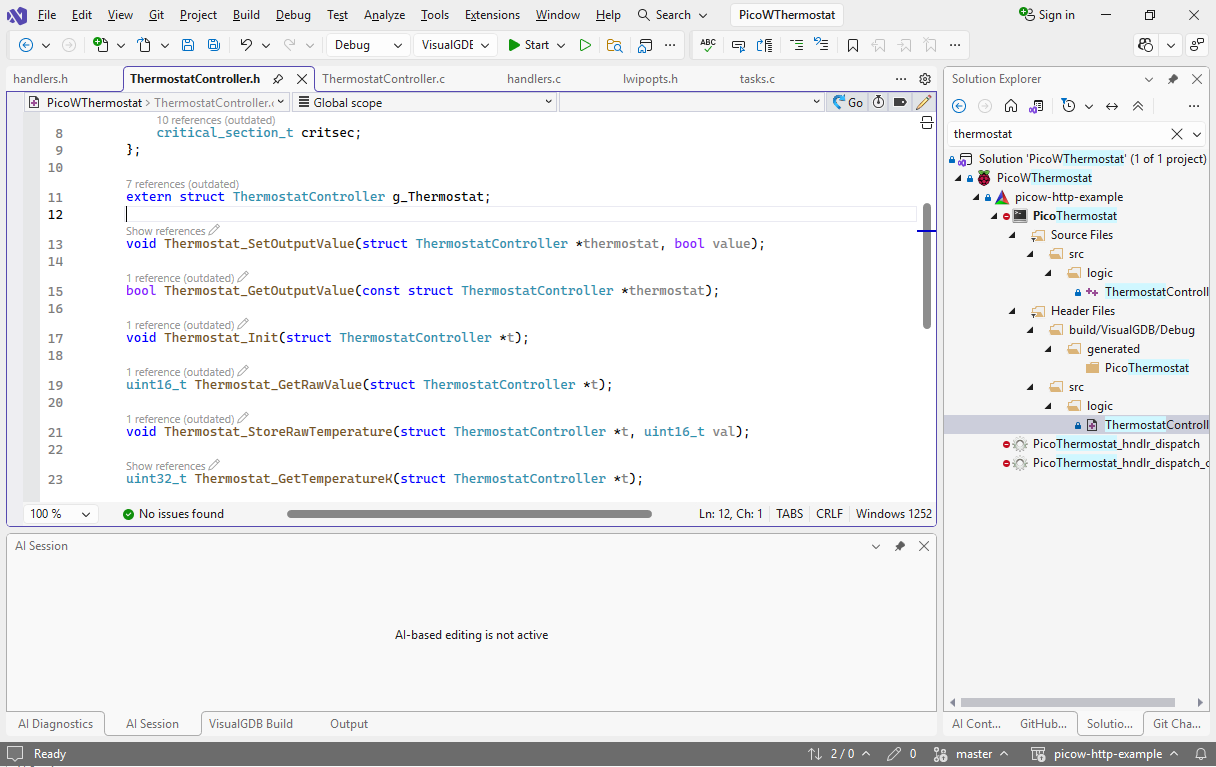 We can now proceed with adding the actual thermostat logic to it. Follow this tutorial for detailed step-by-step instructions.