
Using AI to fix C/C++ Errors
Overview
Starting Sessions
Iterating
Best Practices with Prompts
Practical Example
Overview
Moving code between projects, or switching to a newer version of a library does not always work out-of-the-box. Differences between function/struct declarations in the old vs. new code will inevitably cause build errors, that could be a very annoying to fix. The work is typically rather trivial, but still not trivial enough for a single find-and-replace.
On the flip side, AI handles this type of work really well, and VisualGDB provides convenient GUI to quickly share the necessary context with AI.
Starting Sessions
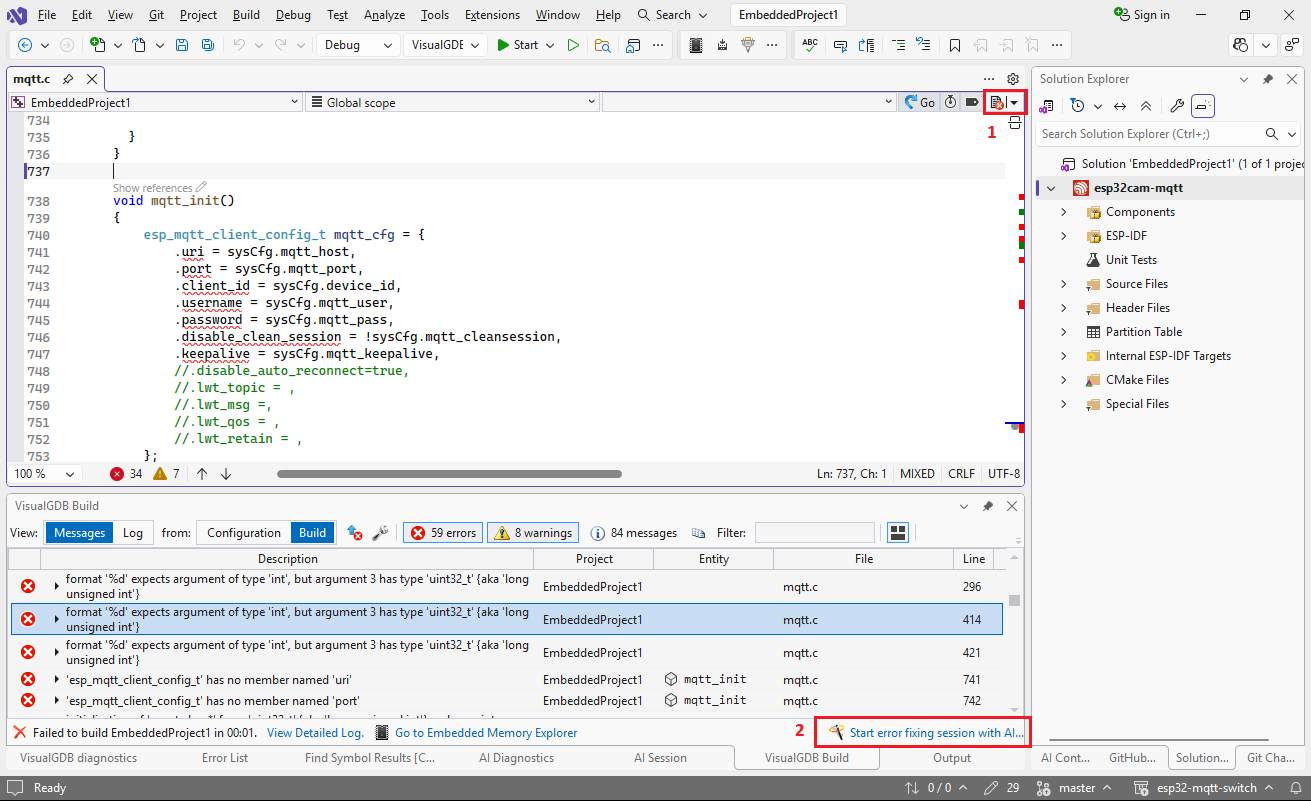
You can start an error-fixing session using the button in the top right corner of the editor (1) or a link in the error list (2) :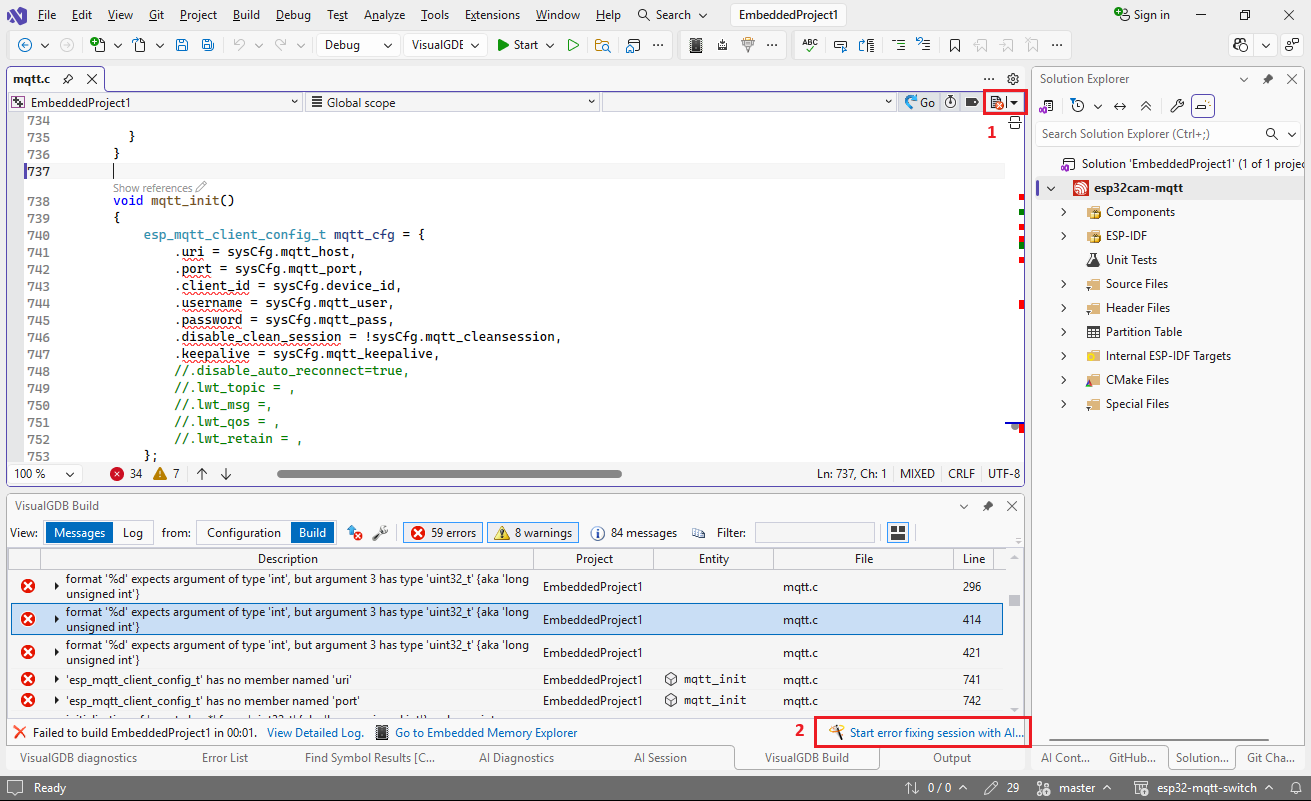 Note that the former will use the IntelliSense errors for the current file (no build required), and the latter will use the build errors, giving you a chance to filter them:
 If you want to handle one symbol at a time, you can start a regular editing session, and switch the template to “Fix Errors” (A):
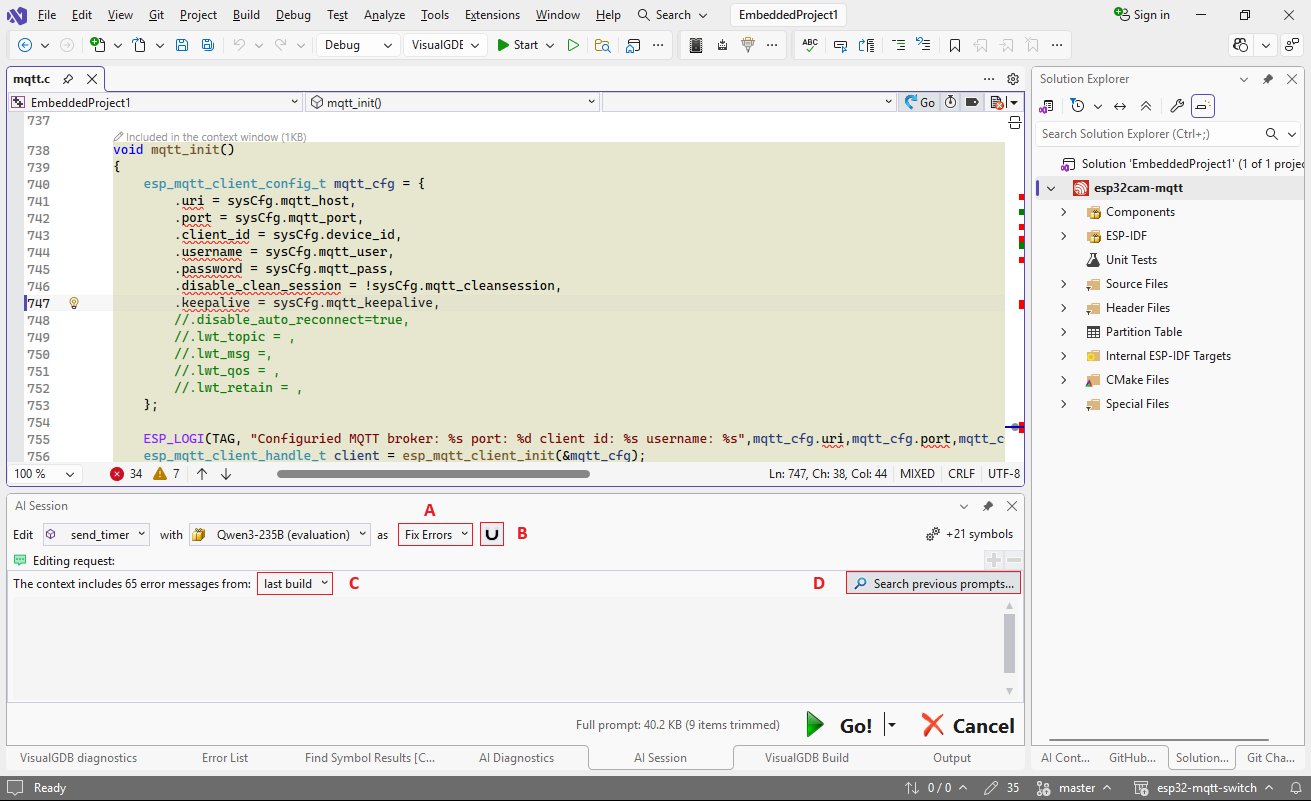 The references button (B) controls whether the model will see the related declarations. E.g. in the example above, the errors are caused by a changed definition of esp_mqtt_client_config_t, so sharing it with the model will help it update the initialization without any hallucinations. On the other hand, if the errors are obvious without looking at any other files, you can turn this option off to save time and tokens.
You can also switch between build and IntelliSense errors using the selector (C) or quickly reuse previous prompts (D) if you are breaking one edit into multiple sessions.
Iterating
In some cases, the AI can get it from the first try, while in others it could require some guidance. You can always start with an empty prompt and a smaller model, and if the results don’t look good, step back and add more context: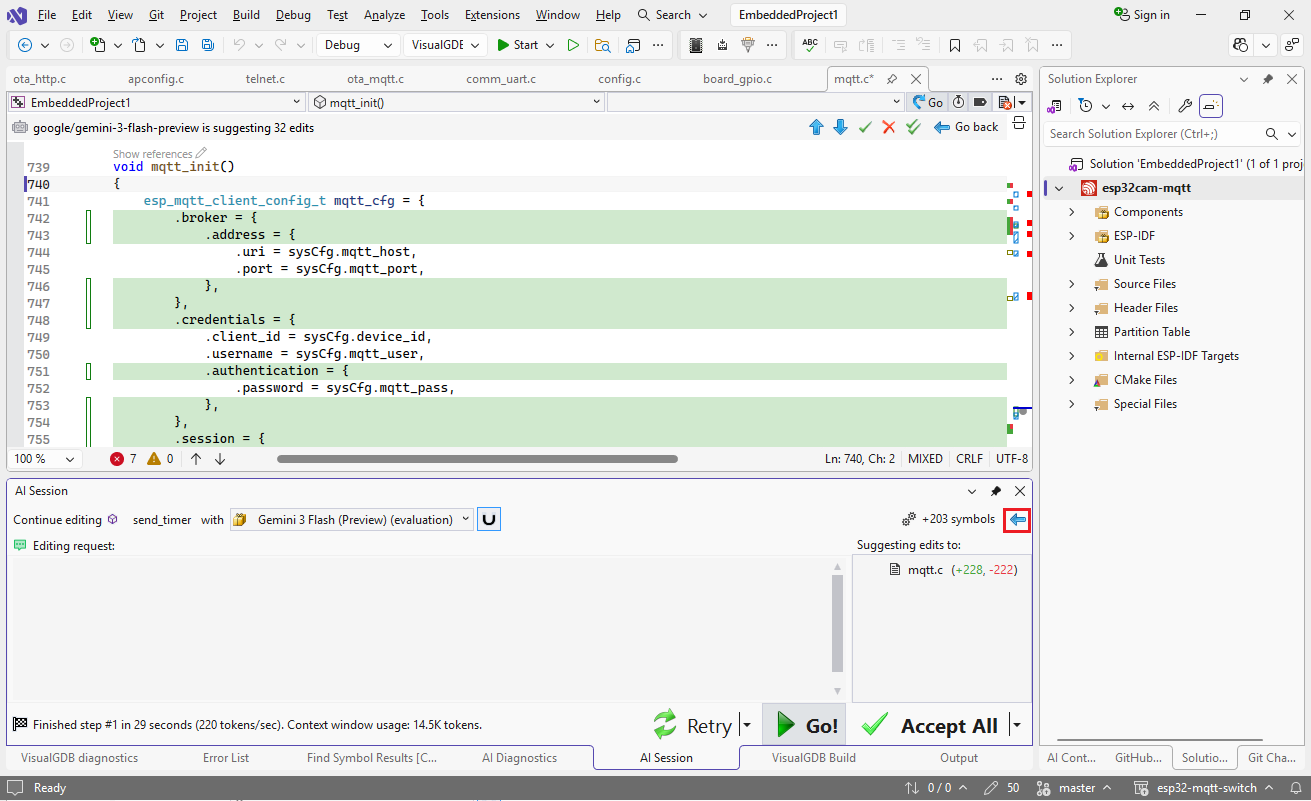
Best Practices with Prompts
VisualGDB automatically provides basic instructions to the model, and injects the error messages right into the code, so the prompts can be very concise. E.g. if an error is caused by using printf(“%d”) on an unsigned variable, the request can be just “update format strings” or “keep format strings, add cast“.
In many cases, the model can quickly figure out what to do it if looks at a previously unseen header file, or a function declaration. You can reference them in the request using the @-syntax: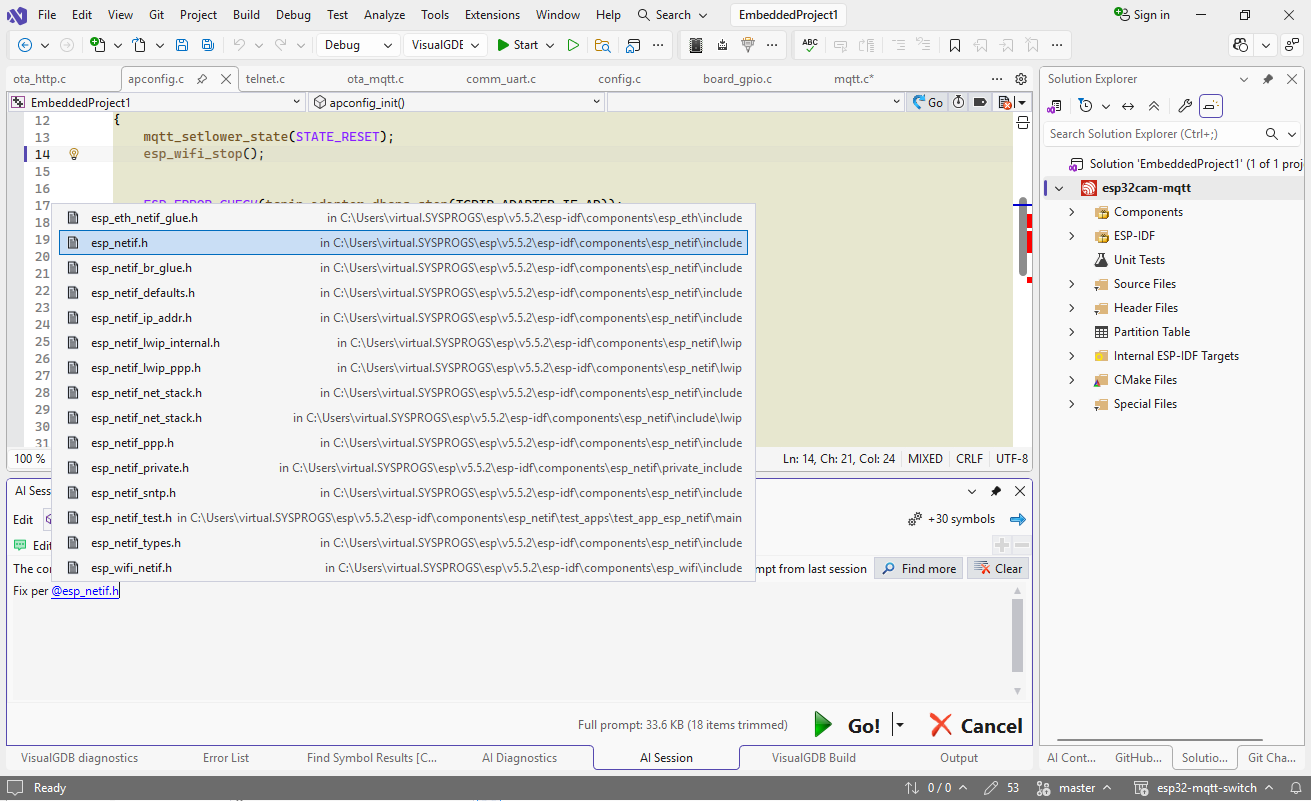 If the changes are mostly caused by renamed or changed declarations, the AI can usually map them very efficiently: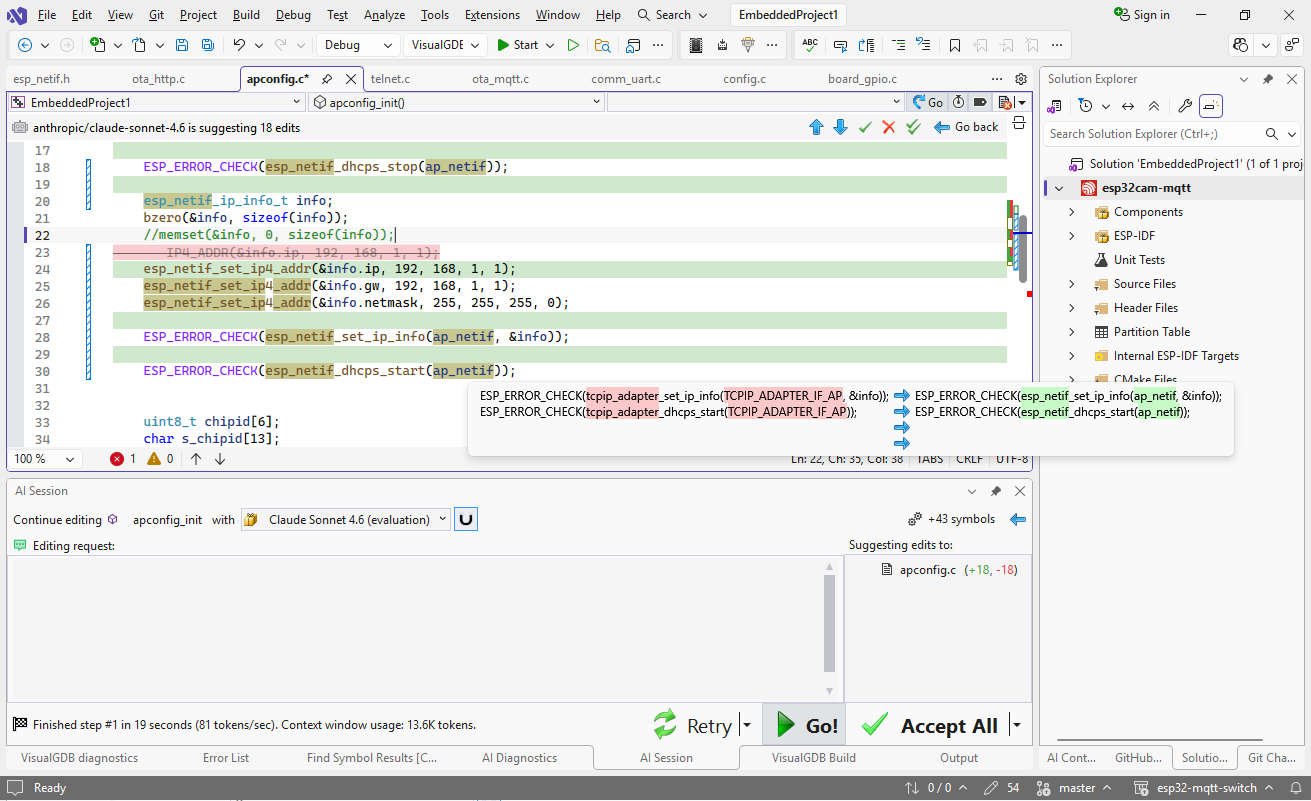
Practical Example
We have used AI to help port an open-source ESP32 MQTT demo from ESP-IDF 4.1 to 5.5.2, and it worked rather well. See this tutorial for detailed step-by-step instructions.