
Using AI Edits to Create Similar Code
This tutorial continues the series where we are using AI to turn a third-party open-source HTTP server for Raspberry Pi Pico into a smart thermostat. In the previous tutorial we created a task for running the thermostat control loop, and added various helper functions. However, we did not implement the handlers for the API calls coming from JavaScript running in the user’s browser. In this tutorial we will show how to use AI to quickly create the missing functionality based on similar code that already exists in the project.
Before you begin this tutorial, follow the previous one, or check out the 03-adding-similar-code tag from the tutorial repository.
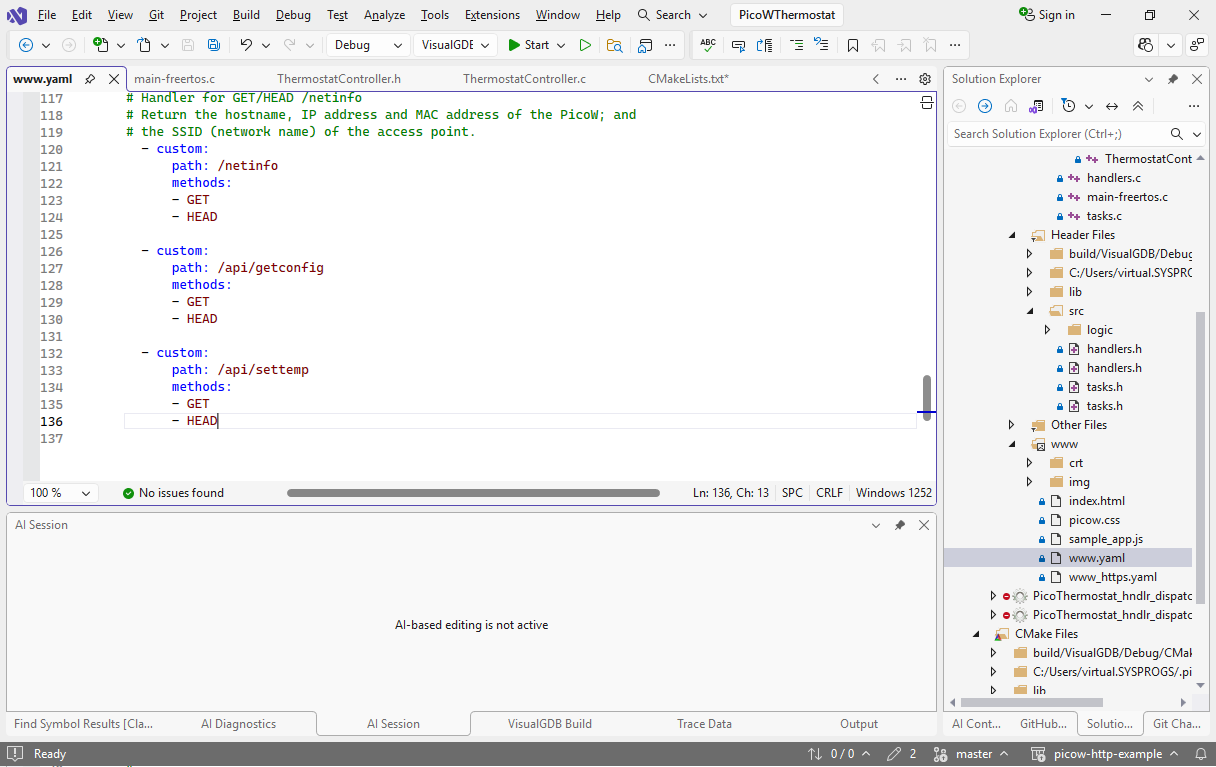
- The original open-source Raspberry Pi Pico HTTP demo that we used in this tutorial series keeps the list of all API handlers in the www.yaml file. Let’s open it in any text editor and add entries for/api/getconfig and /api/settemp:
- The C functions processing the requests are registered in initiate_http() by calling register_hndlr_methods(). Adding handlers for the new URLs would involve copying function signatures from an existing handler, copying the registration calls, and creating the actual empty methods. AI can do it very quickly with a prompt shown below:
+register empty handlers for /api/getconfig and /api/settemp in @handlers.c
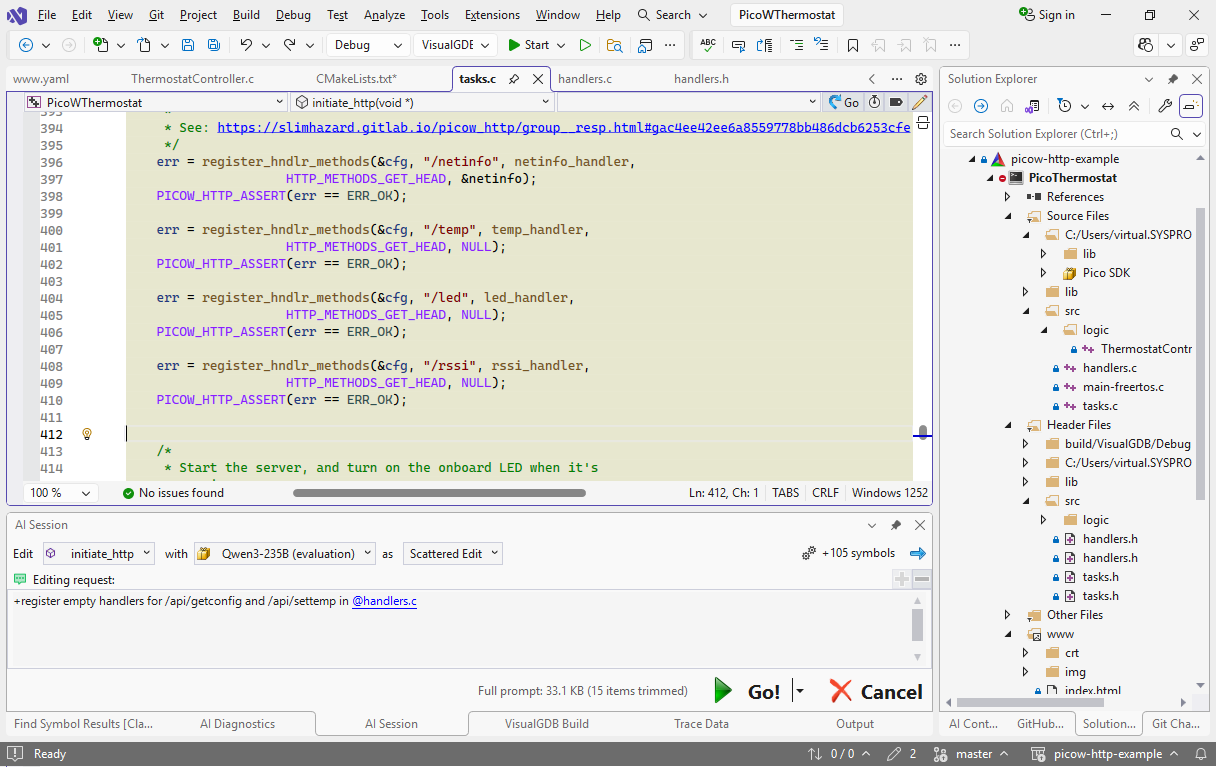 Note that although functions like register_hndlr_methods() and led_handler() are defined in separate files, VisualGDB instantly pulls them into the context window because they are used by the function where you started the edit.
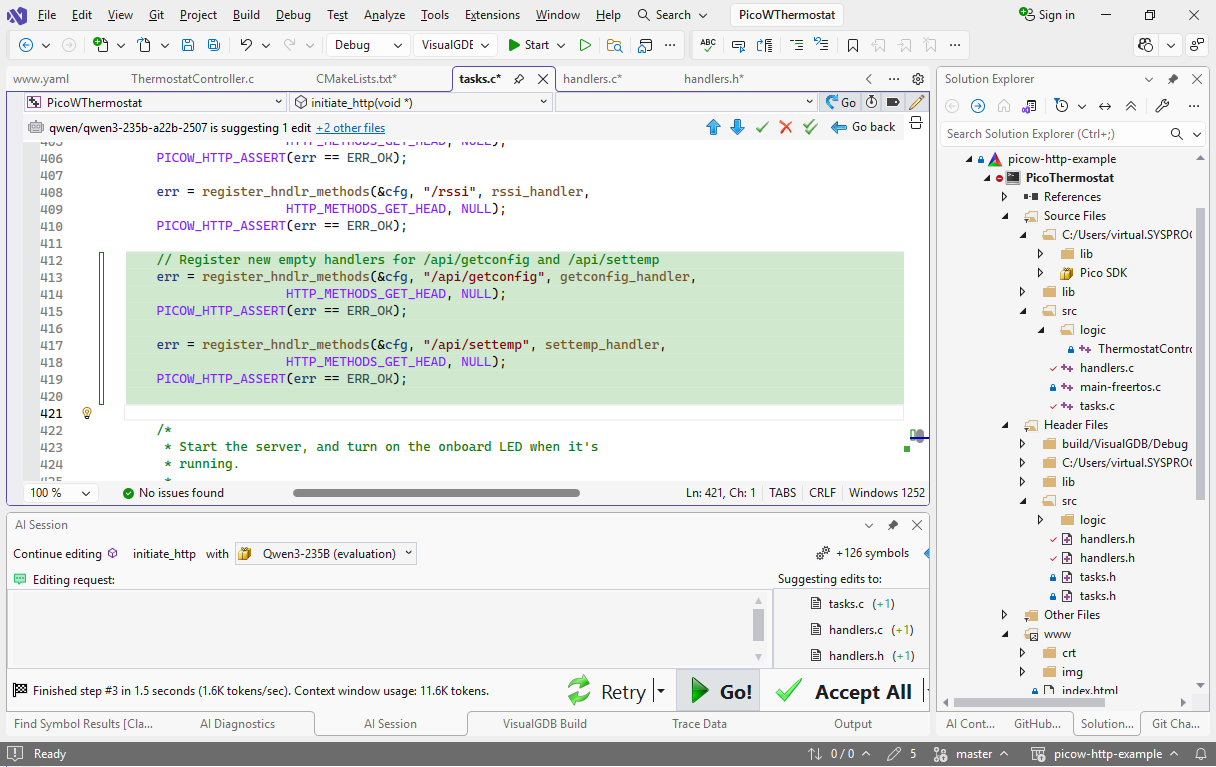
 - The edit takes a few seconds and usually produces the correct calls along with declarations/definitions for the actual functions:
- Now we will add implementations to the handlers. Finish the current editing session and begin a new one with settemp_handler() as the main symbol. Use the following prompt:
parse /api/settemp?temp=<int32> to @Thermostat_SetTargetTemperature
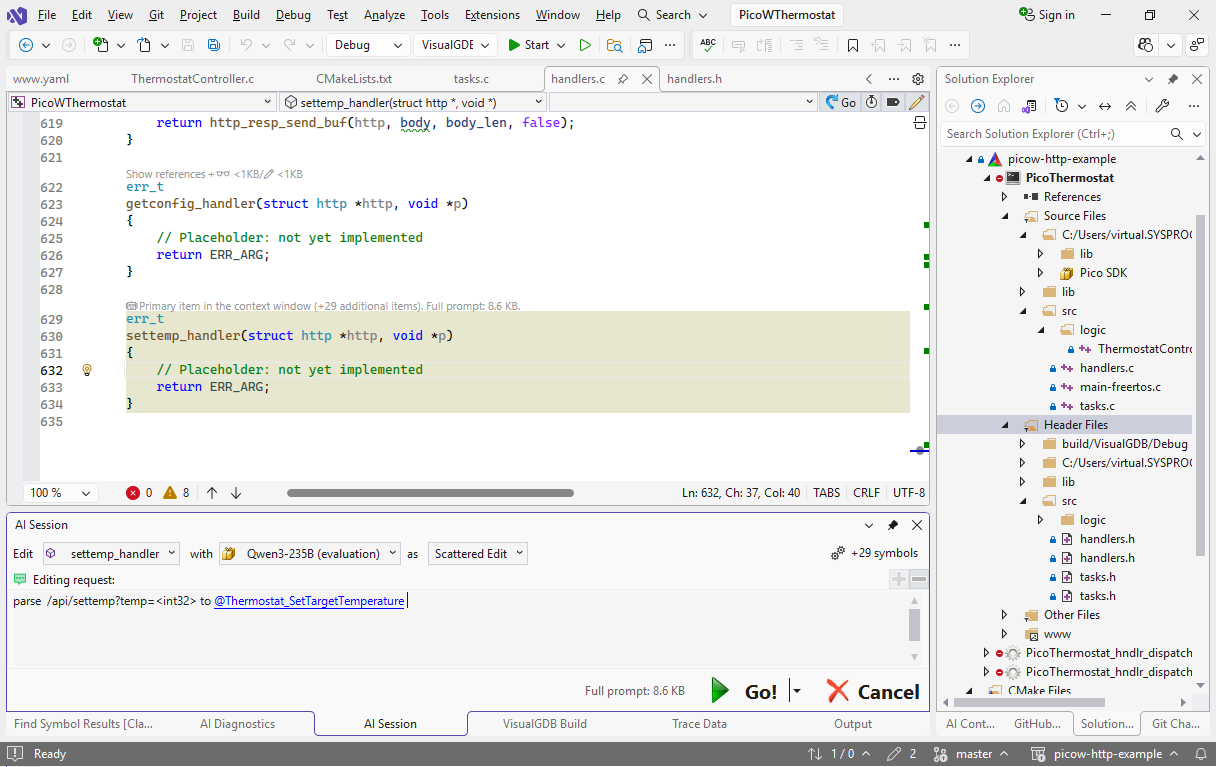
- If you just try running this prompt as is, AI model will only see settemp_handler, struct http, Thermostat_SetTargetTemperature() and other explicitly referenced symbols. It will try to access the http’s fields directly, and will most likely not get it right. Instead, there is already a similar function called led_handler() that loads the arguments from an HTTP query. We can explicitly add it to the context window by clicking the edit link on top of it:
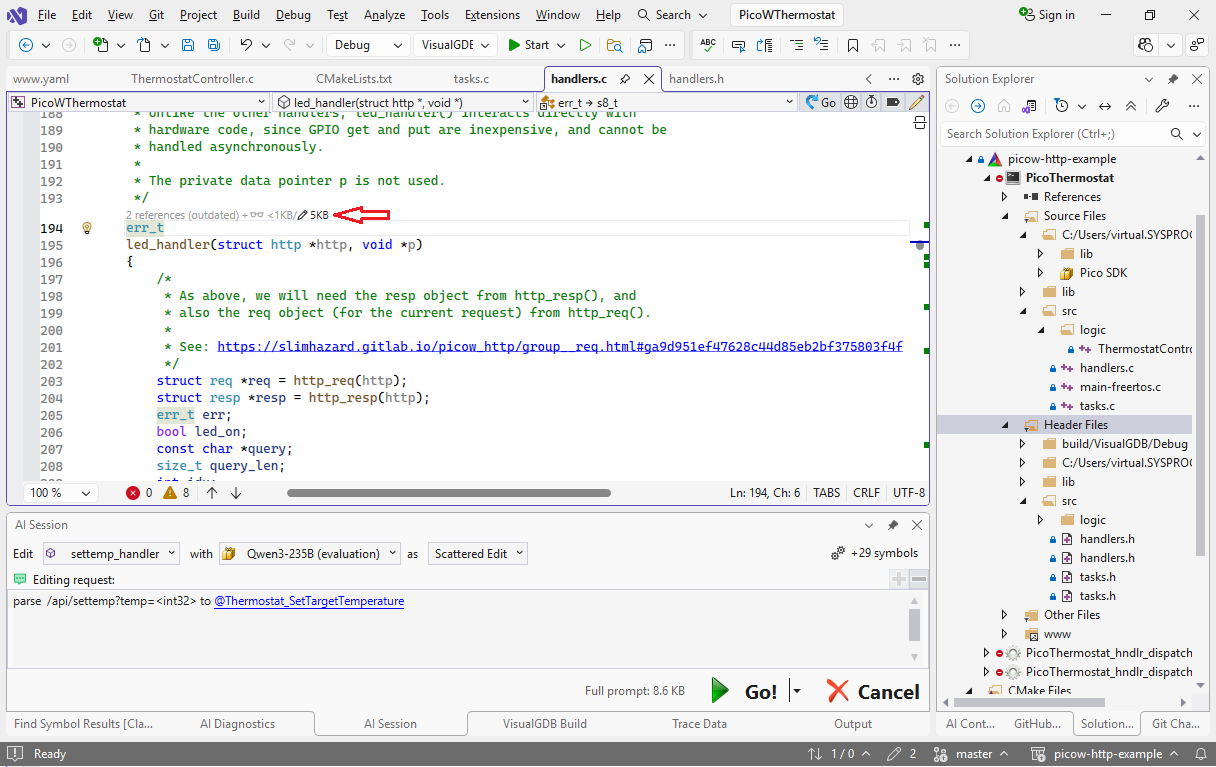 Note that if we add it in read-only mode (glasses icon), the AI model will only see its declaration, but not the body. This is useful for functions that should be called, but not looked into.
 - Now you can click “Go” to run the edit. VisualGDB will automatically include the definitions of all functions used by led_handler(), including the preceding comments, so most models will have an easy time writing a usable function from the first try. In our example, it took the Qwen3-235B model slightly below 2 seconds to produce this implementation:
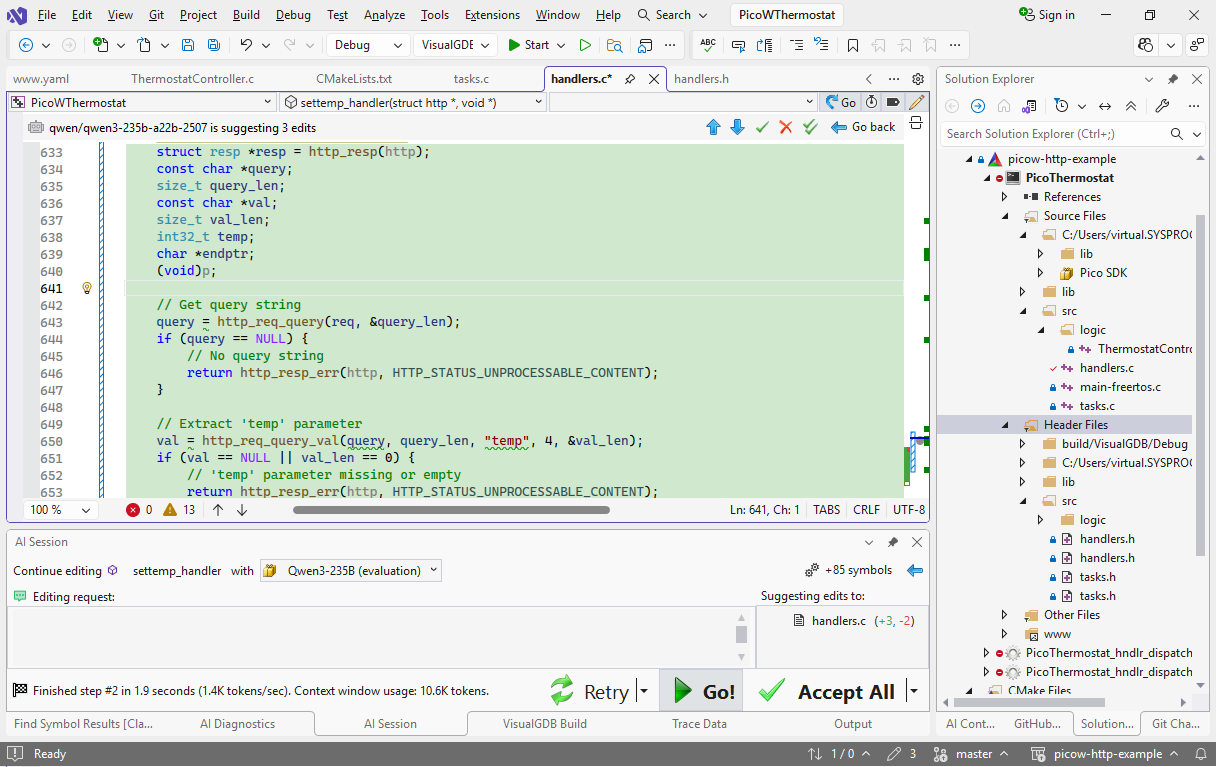 Note that the language model copied a lot of logic from led_handler(), resulting in a bulky implementation. We will show later how to use AI-driven refactoring to simplify it.
 - Try setting a breakpoint in the new handler and setting the temperature in the web page to 123:
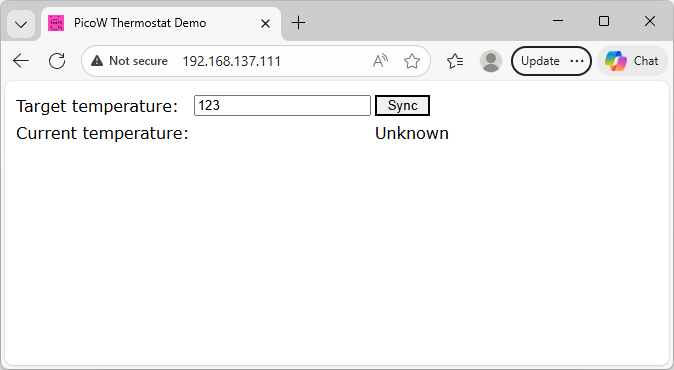
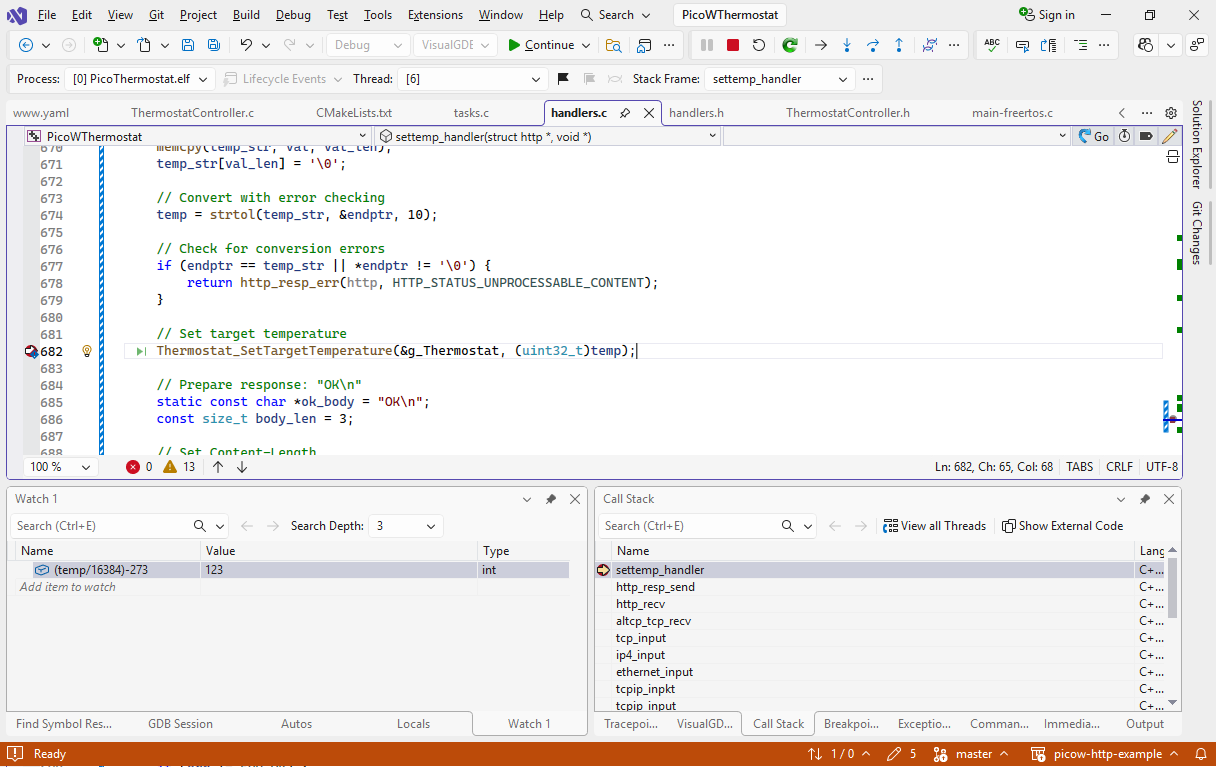
- The breakpoint will trigger and temp will contain the raw value in degrees Kelvin. You can compute the Celsius value by dividing it by 16384 and subtracting 273:
 If the “Sync” button doesn’t work, try clearing browser cache, apply this patch to disable it on the server side.
 - Now let’s create an implementation for getconfig_handler() based on netinfo_handler(). Use the following prompt:
@Thermostat_GetTemperatureK -> JSON:currentTemperature
Make sure netinfo_handler() is included in the context window and the AI should generate a reasonable implementation in a few seconds:
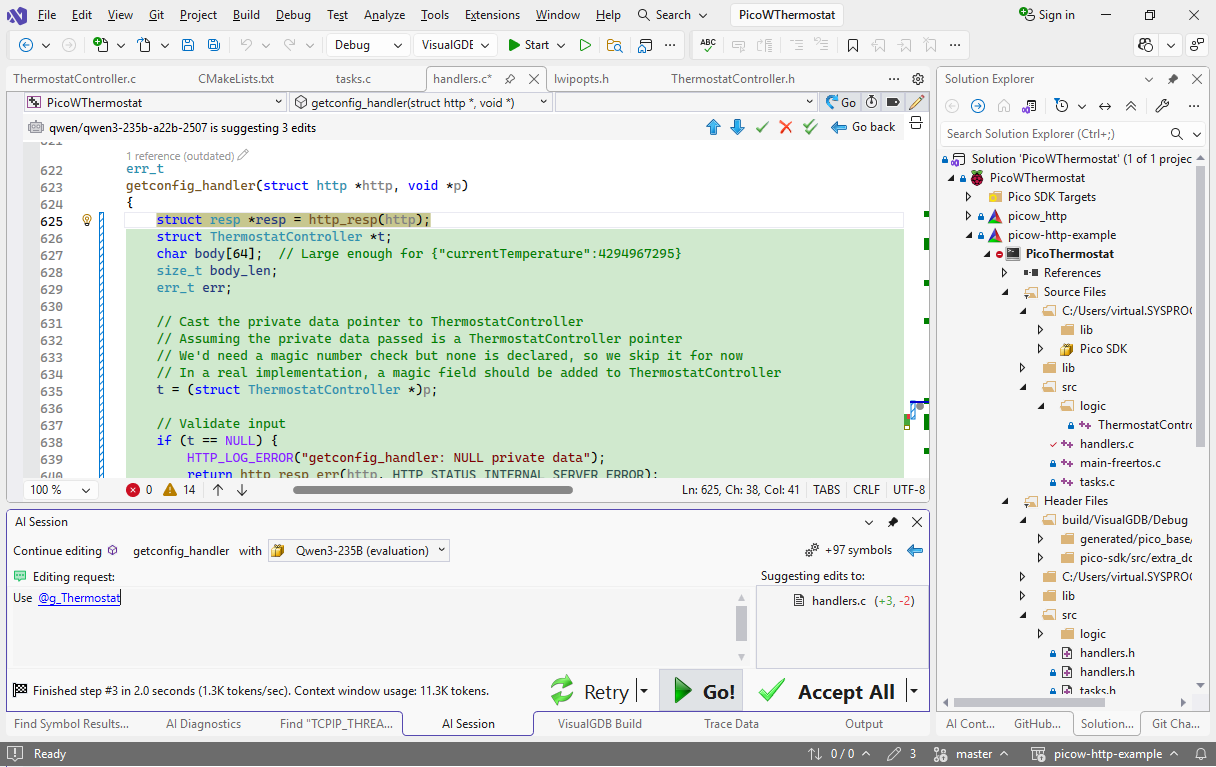
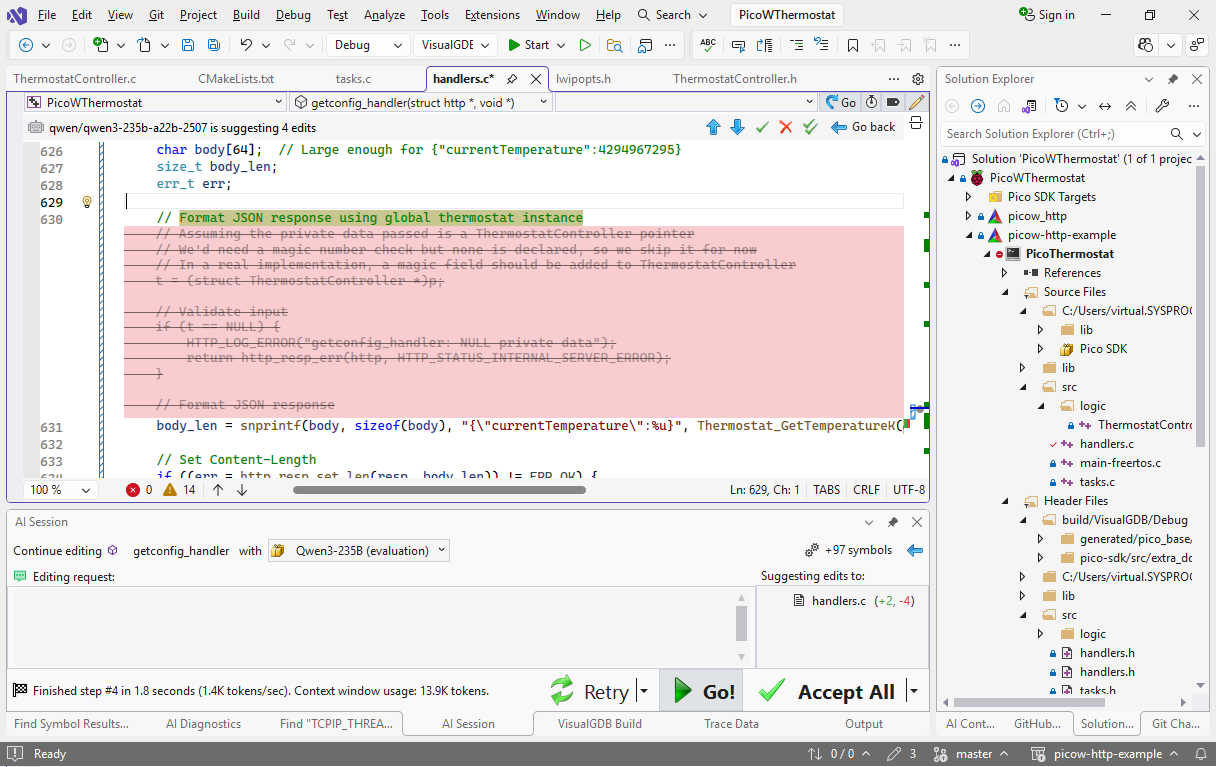
- Note that the implementation has a problem. The AI assumed that void *p contains the pointer to the actual thermostat structure (which would be a reasonable guess). This can be fixed in another 2 seconds using “Use @g_Thermostat” as a prompt:
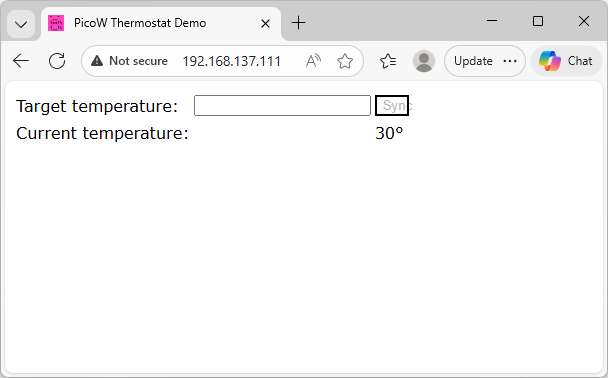
- If you build and run the project now, it will show the temperature obtained from Thermostat_GetTemperature():
In this tutorial we manged to quickly create two functions that are very similar to other functionality already present in the project. While these functions work just fine, they do duplicate existing functionality, making the code bulkier and harder to maintain. Our next step will be to use AI-driven refactoring to simplify the design by moving commonly used chunks of code into reusable utility functions.
Follow the next tutorial for detailed steps.