
Getting Started with AI Edits
This tutorial shows how to quickly try out the AI editing functionality in VisualGDB with a basic project. We will create the basic USB CDC device from template, and will demonstrate some code writing and refactoring.
Before you begin, follow this tutorial to create a project for a basic USB device, but don’t modify the original template yet.
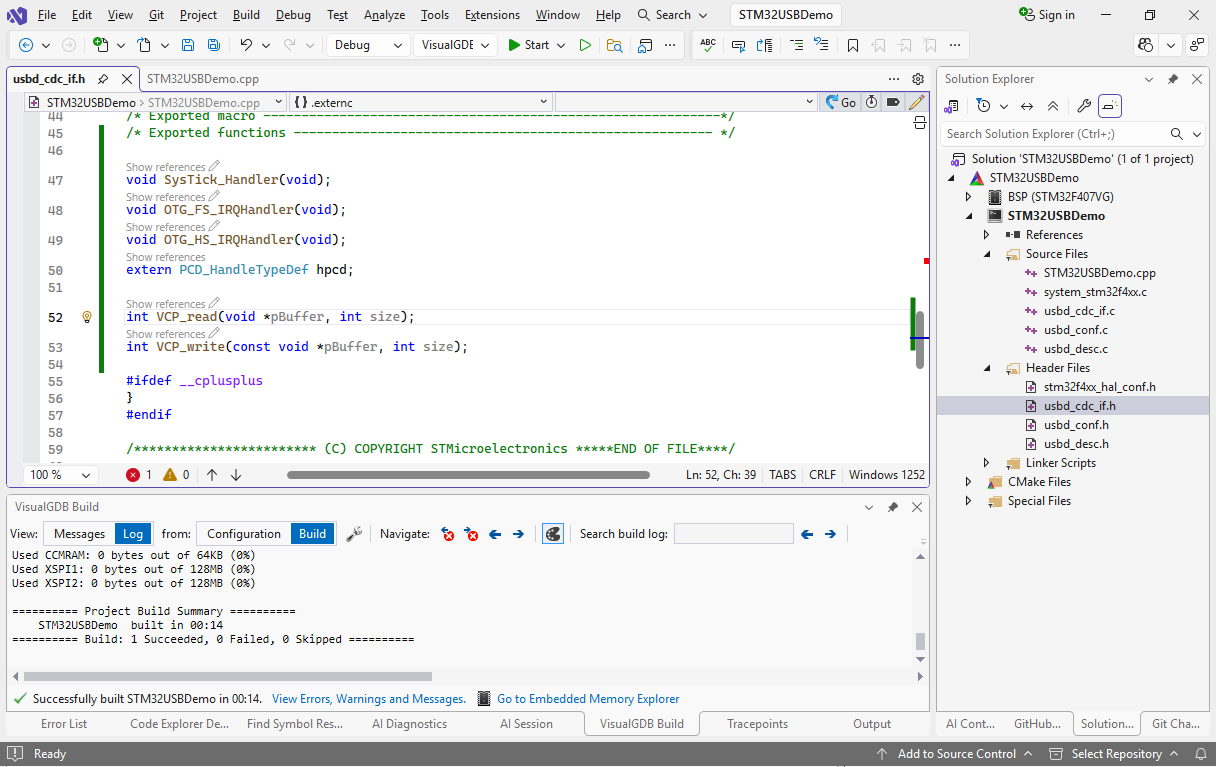
- Move the declarations for VCP_read, VCP_write, etc to the usb_cdc_if.h file, so that they match the usb_cdc_if.c file where they are defined. This will allow the AI to place the new functions in the correct file without explicitly asking it to:
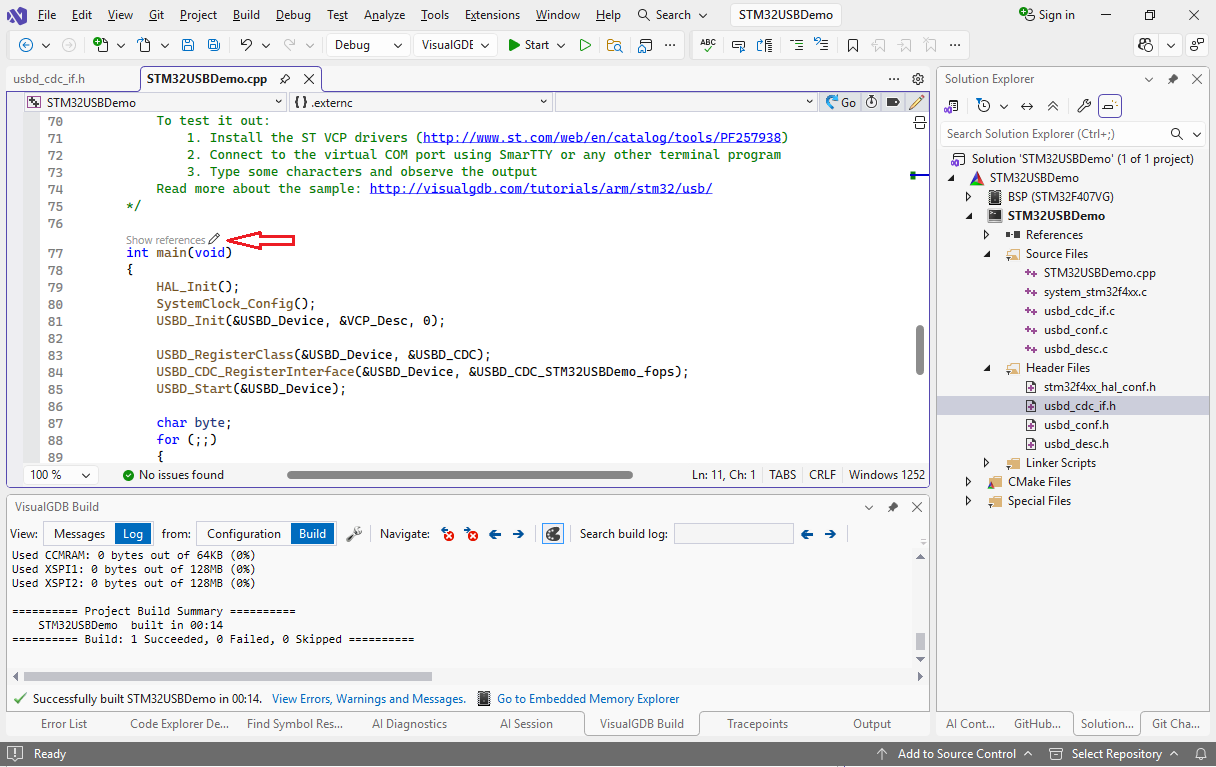
- Go to the main() function and click the AI edit icon:
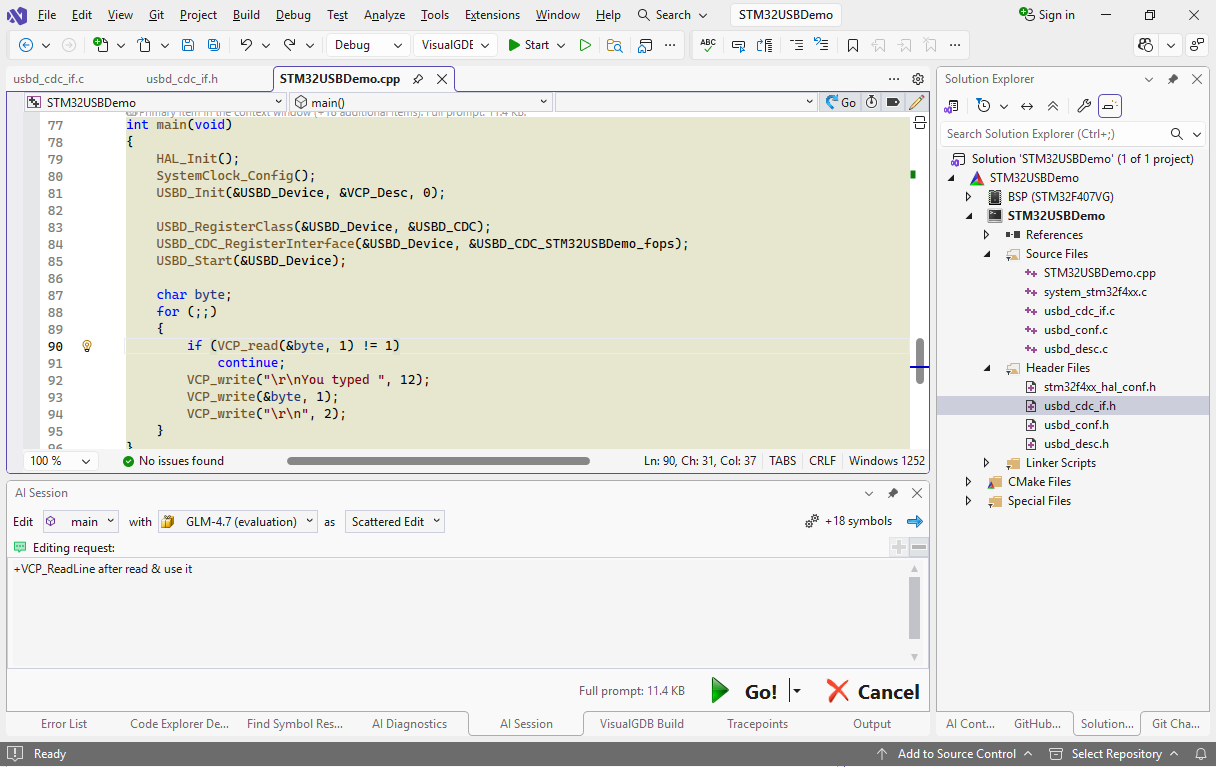
- Currently, main() reads the USB input one character at a time. Let’s change it to read it line-by-line. Write the following prompt:
+VCP_ReadLine after read & use it
Select the GLM model from the list and click “Go”:
- A few seconds later, the model will suggest changing main() itself, adding a declaration to the header file where VCP_read() was defined, and also adding the implementation to the .c file, so that the main loop now works line-by-line:
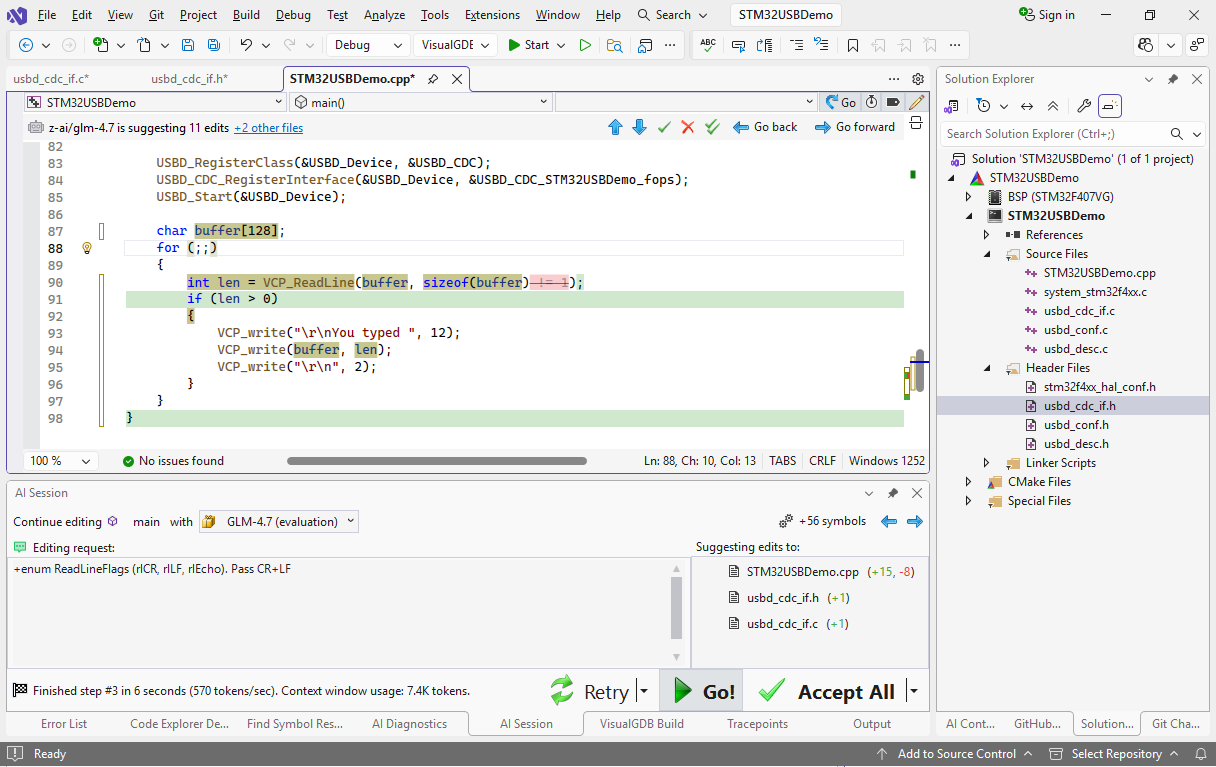 Smaller models (e.g. Qwen or GPT-OSS-128B) would do it even faster (2-3 seconds), but they normally need a bit more specific prompts (e.g. “in @usb_cdc_if.c after VCP_read” rather than just “after read”).
 - Let’s refine the edit through another prompt:
+enum ReadLineFlags (rlCR, rlLF, rlEcho). Pass CR+LF.
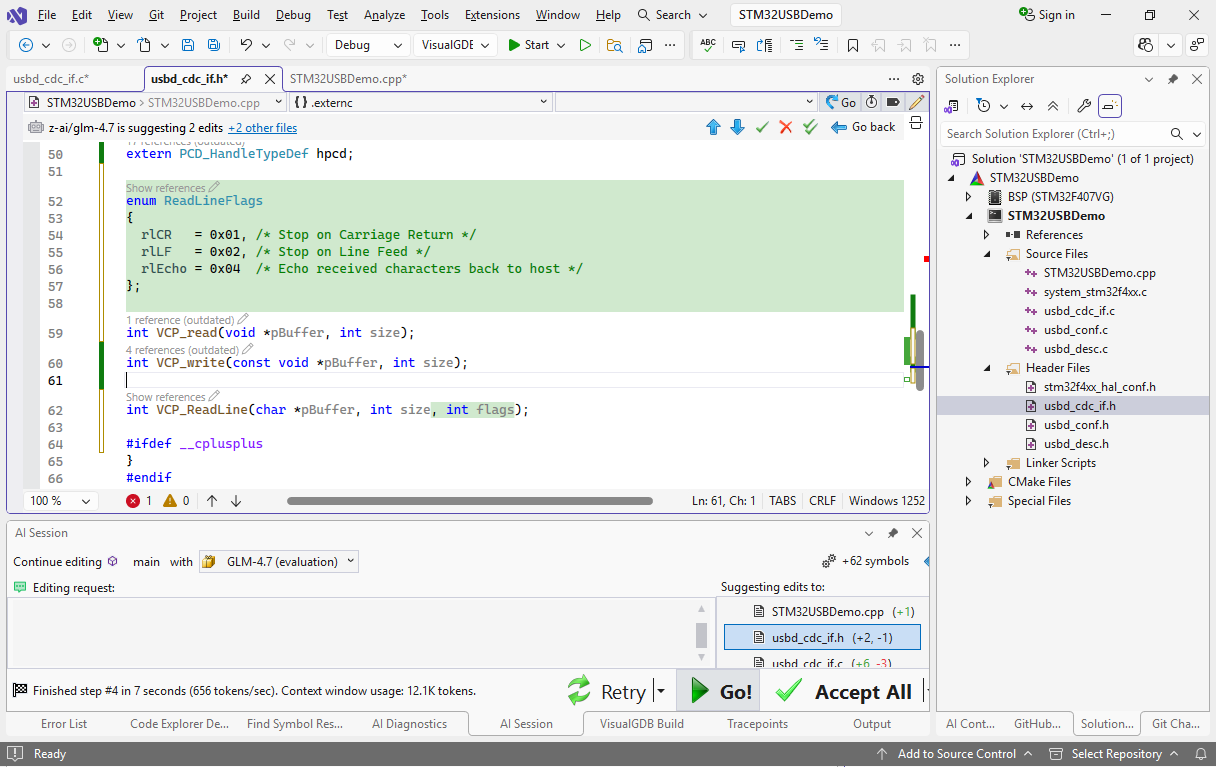 The model very quickly expands it to adding an enum in the correct place, modifying the declaration, body, and calls to VCP_ReadLine() accordingly.
 - Now we will show how the automatic reference updating works. Click “Accept all” and complete the editing session. Then start another one for VCP_ReadLine() and use this prompt:
take maxLen + flags; @malloc , read, return, callers free.
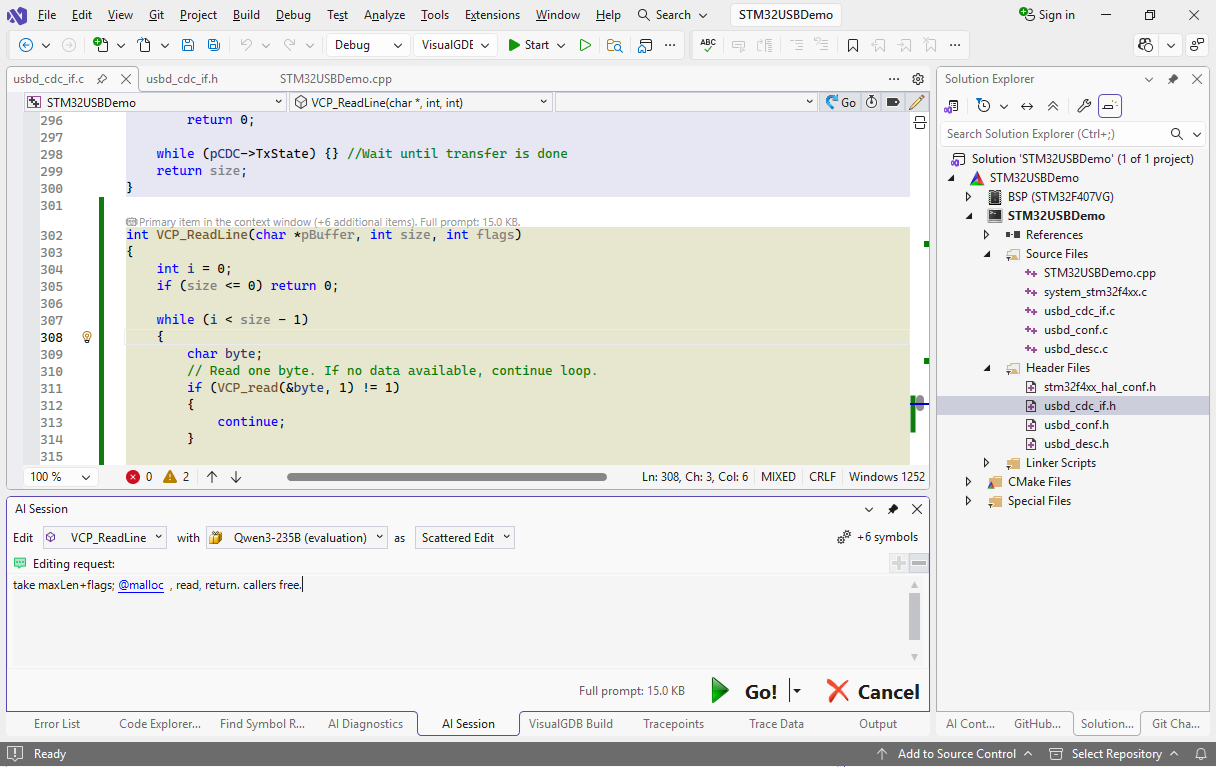
- This was sufficient to change the semantics of VCP_ReadLine(), update declaration, body, and the call in another few seconds:
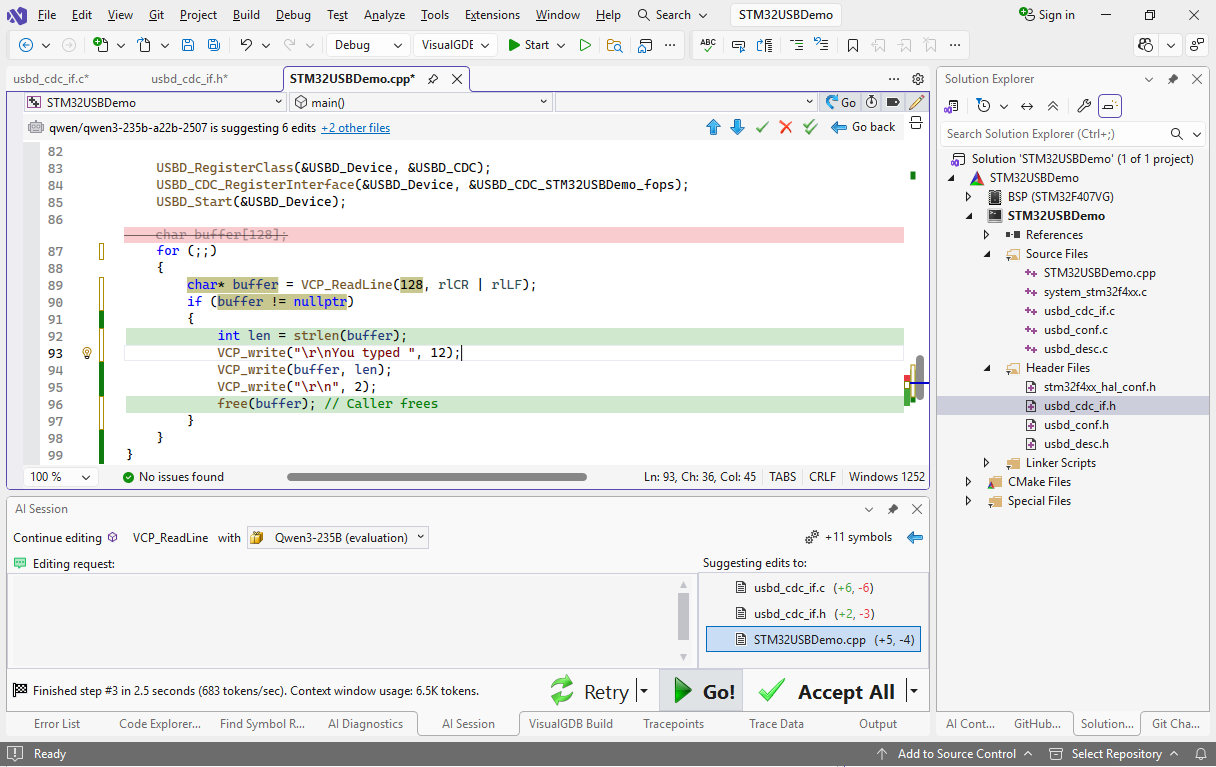
Unlike the classic AI tools that work on file level, VisualGDB works with individual symbols. Whenever you ask to edit main() that uses VCP_read(), VisualGDB automatically pulls it into the context window. If the AI changes the signature of VCP_ReadLine(), VisualGDB detects it and runs another pass with all references. This works really fast and doesn’t break for large projects with huge files.
If you would like to see more real-world examples, check out our tutorial series where we used AI to turn an open-source HTTP server for Raspberry Pi Pico into a Web-controlled thermostat.